

TL;DR
Most sales teams already know their CRM data is incomplete. The average B2B database decays at roughly 30 percent per year as people change jobs, companies rebrand, and phone numbers rotate. AI lead enrichment tools solve this by automatically filling missing fields — verified emails, direct dials, job titles, company size, technographics, and more — so reps spend time selling instead of researching.
If you are evaluating lead enrichment platforms in 2026, this guide gives you a practical shortlist. We compare FullEnrich, Lusha, UpLead, Datanyze, and LeadIQ across the criteria that actually matter: data accuracy, field coverage, CRM integrations, pricing transparency, and the use cases each tool handles best. Whether you run a lean SDR team or manage RevOps for a scaling SaaS company, you will find enough detail here to build a confident shortlist without wading through generic feature lists.
Table of Contents
Best AI Lead Enrichment Tools (Quick Comparison)
| Tool | Best For | Starting Price | Key Differentiator |
|---|---|---|---|
| FullEnrich | Maximum coverage via waterfall enrichment | $29/mo (500 credits) | Multi-source waterfall with triple email verification |
| Lusha | Quick LinkedIn prospecting | Credit-based (Pro tier ~$0.73/lead) | One-click Chrome extension with bulk reveal |
| UpLead | Data accuracy-focused teams | $74/mo annual (170 credits) | Real-time email verification at point of lookup |
| Datanyze | Budget-conscious SMBs | $21/mo annual (80 credits) | Affordable entry point with 90-day free trial |
| LeadIQ | Prospecting workflow automation | Free (20 email credits/mo) | Champion tracking and job change alerts |
1. FullEnrich
What It Does
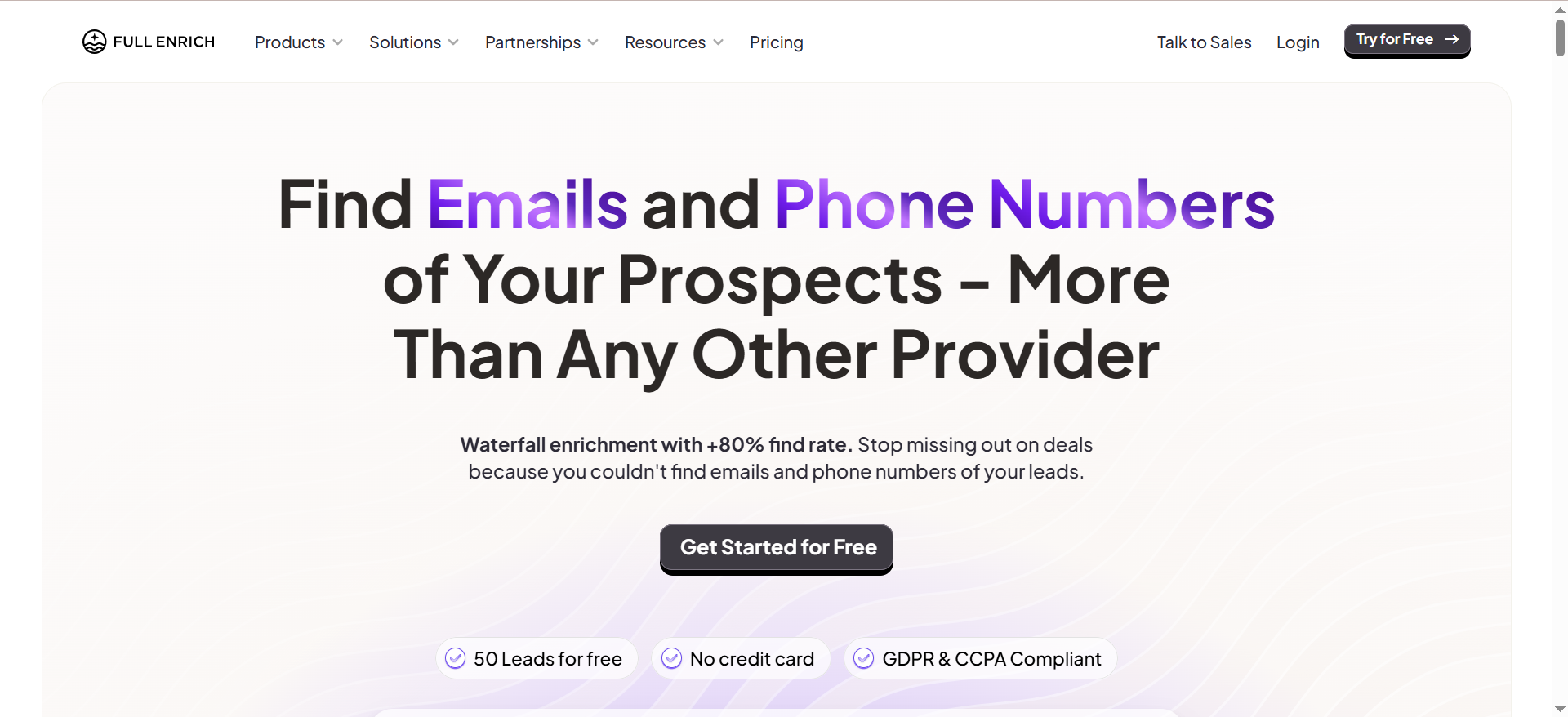
FullEnrich is a waterfall enrichment platform that aggregates over 20 premium data providers into a single lookup workflow. Instead of subscribing to multiple sales intelligence tools and stitching results together manually, FullEnrich queries each provider in sequence and returns the best available contact data — verified business emails and mobile phone numbers — in one consolidated result.
Why Teams Use It
Teams choose FullEnrich when they have tried single-provider tools and hit a coverage ceiling. A single data vendor typically delivers 40 to 60 percent match rates, which means nearly half your prospect list comes back with gaps. FullEnrich's waterfall approach pushes match rates significantly higher by cascading through multiple sources until it finds verified data for each record.
What It Is Good For
FullEnrich works well for outbound-heavy teams running large prospecting campaigns where incomplete data directly translates to lost pipeline. It is also a strong fit for agencies managing enrichment across multiple client accounts, since the credit-based model scales without per-seat costs.
When It Is a Good Fit
FullEnrich fits teams that prioritize coverage over everything else. If your current tool returns too many blanks on email or mobile fields and you do not want to manage multiple vendor contracts, FullEnrich consolidates that complexity into a single subscription. It also suits teams already using orchestration platforms like Clay, Make, or n8n, since the native integrations and REST API plug directly into existing workflows.
When It Is Not a Good Fit
If your team only needs a few dozen lookups per month, the credit costs may not justify the subscription. FullEnrich also lacks a built-in prospecting database — it enriches records you already have rather than helping you discover new leads from scratch. Teams that need a combined prospecting and enrichment platform in one interface may find a gap here.
How to Use It
FullEnrich offers three interfaces. The web app supports manual single lookups and bulk CSV uploads. The REST API enables programmatic enrichment for teams building custom pipelines. Native integrations with HubSpot, Clay, Zapier, Make, n8n, Lemlist, and Smartlead let you trigger enrichment automatically based on CRM events or outbound campaign workflows.
Key Capabilities
FullEnrich's core capabilities include multi-waterfall enrichment across 20-plus data providers, triple email deliverability verification before returning results, a credit-only-on-success model where failed lookups cost nothing, native integrations with major CRMs and outbound tools, GDPR and CCPA compliance, and support for both email and mobile phone enrichment. Mobile numbers cost 10 credits per lookup compared to 1 credit per email.
Pricing
The Starter plan begins at $29 per month for 500 credits. The Pro plan costs $55 per month for 1,000 credits. Scale and Enterprise plans are custom-quoted for higher volumes. One credit equals one verified business email. Mobile phone lookups cost 10 credits each. Credits are only deducted on successful enrichment, so failed lookups do not count against your balance.
Free Tier
Yes. FullEnrich offers a free trial with 50 credits and no credit card required. This is enough to test the platform on a small batch before committing to a paid plan.
Downsides and Limitations
FullEnrich does not include a lead discovery database, so you need another tool or an existing list to enrich. The 10-credit cost for mobile numbers adds up quickly if phone data is a priority. Reporting and analytics inside the platform are basic compared to full sales intelligence suites, and there is no built-in outreach or sequencing functionality.
2. Lusha
What It Does
Lusha is a B2B contact data platform built around a Chrome extension that reveals verified phone numbers and email addresses directly on LinkedIn profiles, Sales Navigator, company websites, and inside your CRM. It gives sales reps instant access to prospect contact information without leaving the browser tab they are already working in.
Why Teams Use It
Sales teams choose Lusha because it reduces the friction between finding a prospect on LinkedIn and getting their contact details. The Chrome extension approach means reps do not need to switch between tools. The bulk reveal feature on paid plans lets users select up to 25 contacts at once from Sales Navigator and reveal all their information in a single action.
What It Is Good For
Lusha works well for individual reps and small SDR teams that prospect heavily on LinkedIn. It is especially effective for teams focused on North American and UK markets, where Lusha's data coverage is strongest. The one-click workflow fits teams that value speed over complex enrichment logic.
When It Is a Good Fit
Lusha fits teams where LinkedIn is the primary prospecting channel and reps need quick access to emails and direct dials without leaving their browser. It is also a reasonable choice for teams that already use Salesforce, HubSpot, Zoho, Pipedrive, or Microsoft Dynamics, since Lusha offers native CRM integrations for pushing contacts directly into existing records.
When It Is Not a Good Fit
Lusha's data coverage drops noticeably outside English-speaking markets. If your ICP includes prospects in continental Europe, APAC, or Latin America, expect higher bounce rates and more outdated records. The credit-based pricing also becomes expensive at volume — phone number reveals cost significantly more credits than emails, and the Scale plan operates under fair-use caps that multiple reviewers have flagged as restrictive.
How to Use It
Install the Chrome extension and activate it on LinkedIn, Sales Navigator, or a company website. Click the Lusha icon to reveal contact details for the profile you are viewing. On paid plans, use the bulk reveal feature in Sales Navigator to select multiple contacts and reveal them simultaneously. Contacts can be exported to your CRM or downloaded as a CSV.
Key Capabilities
Lusha provides access to over 280 million verified B2B contacts with claimed email deliverability rates around 98 percent and phone number accuracy around 85 percent. The platform integrates with Salesforce, HubSpot, Zoho, Pipedrive, Microsoft Dynamics, Outreach, Salesloft, and Bullhorn. API access is available on the Scale plan for custom integrations. The bulk reveal feature supports up to 25 contacts per batch.
Pricing
Lusha uses a credit-based model where phone number reveals cost significantly more credits than email reveals. The real cost per lead on the Pro tier works out to roughly $0.73 or more. The Premium tier includes higher credit allocations for teams needing greater volume. The Scale plan advertises unlimited credits but operates under fair-use policies. Specific plan pricing is available on request and varies by team size.
Free Tier
Yes. Lusha offers a free plan with a limited number of credits per month, enough to test basic functionality and verify data quality for your target market before upgrading.
Downsides and Limitations
Data quality degrades significantly outside North America and the UK. The credit structure makes phone enrichment expensive at scale. The Scale plan has undisclosed fair-use caps. Lusha is primarily a contact reveal tool rather than a full enrichment platform, so it does not handle bulk CSV enrichment or complex waterfall logic natively. Technographic and firmographic data depth is limited compared to dedicated enrichment-first platforms.
3. UpLead
What It Does
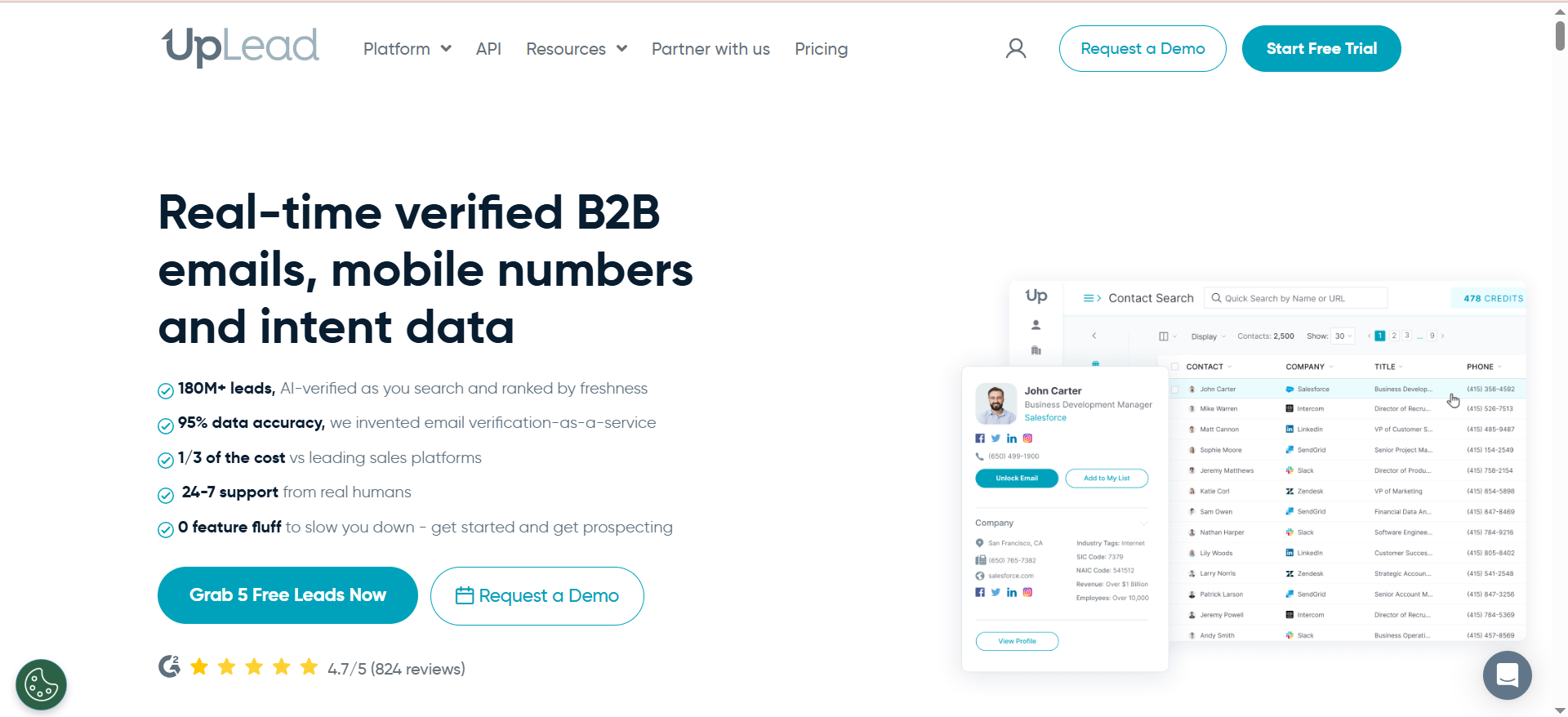
UpLead is a B2B lead generation and data intelligence platform that helps sales and marketing teams find verified contact information for decision-makers. It combines a searchable prospect database with real-time email verification and bulk data enrichment, positioning itself as an accuracy-first alternative to larger sales intelligence suites.
Why Teams Use It
Teams choose UpLead because it verifies emails at the moment of lookup rather than relying on pre-cached database records. This real-time verification approach means the data you pull is checked for deliverability before you ever download it, which directly reduces bounce rates in outbound campaigns.
What It Is Good For
UpLead is a strong fit for teams that need both prospecting and enrichment in a single platform. The searchable database of over 180 million B2B contacts across 200-plus countries lets you build targeted lists, while the enrichment module cleans and completes existing records. The technographic filtering — tracking over 16,000 technologies — is particularly useful for teams that sell to specific tech stacks.
When It Is a Good Fit
UpLead suits lean GTM teams at growth-stage SaaS companies that want accurate data without enterprise pricing. It works well when your workflow involves building prospect lists from scratch and enriching them in the same platform, especially if technographic targeting is part of your ICP definition.
When It Is Not a Good Fit
If your team processes very high volumes of enrichment requests, the credit limits on standard plans may feel restrictive. Credits do not roll over month to month on monthly billing, so slow months waste credits and busy months require upgrades. Teams that only need enrichment without prospecting may find they are paying for database access they do not use.
How to Use It
Use the search interface to build prospect lists by filtering on job title, industry, company size, location, technology stack, and other criteria. Download verified contacts directly or push them to your CRM. For enrichment, upload a CSV with names, company domains, or LinkedIn URLs, and UpLead automatically enriches each record with verified emails, phone numbers, job titles, company size, and additional firmographic data in bulk.
Key Capabilities
UpLead offers access to over 180 million B2B contacts across more than 200 countries with a claimed 95 percent data accuracy rate. Key capabilities include real-time email verification at point of lookup, technographic filtering across 16,000-plus technologies, bulk CSV enrichment, and native integrations with Salesforce, HubSpot, Zoho, Pipedrive, Microsoft Dynamics 365, Outreach, SalesLoft, Reply.io, Lemlist, Mailshake, and Zapier. The platform also provides company news alerts and buyer intent data on higher-tier plans.
Pricing
The Essentials plan costs $74 per month on annual billing or $99 per month on monthly billing and includes 170 credits with CRM integration. The Plus plan costs $149 per month annually or $199 per month monthly and provides 400 credits with data enrichment and advanced filters. The Professional plan is custom-priced, includes 1,000-plus credits, buyer intent data, and full API access. A 7-day free trial with 5 credits is available.
Free Tier
UpLead offers a 7-day free trial with 5 credits. There is no permanent free plan, but the trial is enough to test search filters and verify data quality for your specific target audience.
Downsides and Limitations
Credit limits on standard plans can be restrictive for high-volume teams. Monthly billing plans do not allow credit rollover. The 95 percent accuracy claim applies primarily to email verification — phone number accuracy may vary. The platform UI can feel dated compared to newer competitors, and some advanced features like intent data are locked behind the custom-priced Professional tier.
4. Datanyze
What It Does
Datanyze is a sales intelligence platform focused on technographic data and contact discovery. It provides verified email addresses and phone numbers alongside detailed information about the technology stack a prospect's company uses. The platform is designed for sales teams that use technology adoption signals as a key part of their prospecting strategy.
Why Teams Use It
Teams choose Datanyze primarily for two reasons: it is one of the most affordable lead enrichment tools on the market, and its technographic intelligence helps reps identify companies using specific software or tools. This makes it especially useful for teams that sell technology products that replace or integrate with existing solutions.
What It Is Good For
Datanyze works well for small to mid-size sales teams that need basic contact enrichment combined with technographic insights. The Chrome extension makes it easy to gather prospect data directly from LinkedIn or company websites without switching between tools. The 90-day free trial gives teams enough time to evaluate data quality before committing.
When It Is a Good Fit
Datanyze fits budget-conscious SMBs and early-stage startups that need a simple, affordable way to enrich leads with contact data and technology signals. It is also a good choice for teams that prioritize technographic targeting — for example, if you want to find all companies using a competing CRM or marketing automation platform.
When It Is Not a Good Fit
If your team needs high-volume enrichment or deep data coverage outside of the US market, Datanyze may fall short. Data quality is weaker for Middle Eastern markets and some emerging regions. The credit limits on standard plans are conservative, and the platform lacks advanced features like waterfall enrichment, intent data, or built-in outreach sequencing.
How to Use It
Install the Chrome extension to reveal contact information and technographic data directly on LinkedIn profiles and company websites. Use the web application for company search, setting up alerts for technology changes, and managing saved contacts. Export contacts to your CRM or download them as a CSV for import into your outreach tools.
Key Capabilities
Datanyze provides technographic intelligence showing the technology stack used by prospect companies, verified email addresses and phone numbers via the Chrome extension, advanced company search and filtering, competitor analysis tools, company alerts for tracking technology changes, integration with Salesforce, HubSpot, and Pipedrive, and access to firmographic, technographic, and demographic data. Each credit is worth one contact information reveal.
Pricing
The Nyze Pro 1 plan costs $29 per month on monthly billing or $21 per month when paid annually and includes 80 credits per month. The Nyze Pro 2 plan costs $55 per month on monthly billing and includes 160 credits per month. Annual billing on Pro 2 also receives a 30 percent discount.
Free Tier
Yes. Datanyze offers Nyze Lite, a 90-day free trial that includes 10 credits per month. This is one of the longest free trial periods among lead enrichment tools and gives teams enough time to evaluate data quality across multiple prospecting cycles.
Downsides and Limitations
Credit limits are low compared to competitors at similar price points. Data coverage is weaker outside of the United States, particularly in the Middle East. The platform lacks waterfall enrichment, meaning it relies on a single data source. There is no built-in outreach functionality or intent data. The interface is functional but basic, and reporting capabilities are limited.
5. LeadIQ
What It Does
LeadIQ is a B2B prospecting platform that combines contact data capture, enrichment, and workflow automation into a single tool. It uses a waterfall enrichment system that queries multiple data sources to find and verify email addresses, and it scores each result by confidence level so users know whether a contact is likely to bounce or deliver successfully.
Why Teams Use It
Teams choose LeadIQ because it bridges the gap between finding prospects and acting on them. The Chrome extension captures contacts from LinkedIn and Sales Navigator in one click, and native CRM integrations push those contacts directly into Salesforce, HubSpot, Salesloft, or Outreach without manual data entry. The champion tracking feature — which monitors job changes across your saved contacts — gives reps a natural reason to reconnect with warm leads who have moved to new companies.
What It Is Good For
LeadIQ is a strong fit for teams that want prospecting and enrichment tightly integrated with their sales engagement stack. It works especially well for teams using Salesforce or HubSpot as their CRM, since the one-click sync eliminates the friction of importing contacts manually. Champion tracking adds a layer of intelligence that most enrichment-only tools do not offer.
When It Is a Good Fit
LeadIQ fits mid-market and growth-stage sales teams that prospect through LinkedIn and need their enrichment tool to feed directly into a CRM and sequencing platform. It is especially useful for teams where reps manage their own prospecting rather than relying on a centralized data team.
When It Is Not a Good Fit
LeadIQ's pricing model can become expensive for large teams. Credits do not roll over between months, so slow periods waste credits while busy periods require upgrades. Teams that need bulk CSV enrichment or heavy API usage may find the platform limiting compared to enrichment-first tools like FullEnrich or UpLead.
How to Use It
Install the Chrome extension and use it on LinkedIn or Sales Navigator to capture prospect contact details. Click to reveal emails and phone numbers, then sync contacts directly to your CRM or sequencing tool. Use the champion tracking dashboard to monitor job changes among saved contacts and trigger re-engagement workflows when a known champion moves to a new company.
Key Capabilities
LeadIQ offers a waterfall enrichment system querying multiple data sources with confidence scoring on every result, a Chrome extension for one-click contact capture from LinkedIn and Sales Navigator, native integrations with Salesforce, HubSpot, Salesloft, and Outreach, champion tracking for job change alerts, Universal Credits that power different actions across the platform, and a free plan with 20 verified email credits and 10 mobile credits per month.
Pricing
The Free plan includes 20 verified email credits and 10 mobile credits per month. The Pro plan starts at $200 per month for 200 Universal Credits, with annual billing saving approximately 25 percent. Enterprise pricing is custom and requires an annual commitment. Volume discounts are available for larger teams.
Free Tier
Yes. LeadIQ offers a permanent free plan with 20 verified email credits and 10 mobile credits per month. This is enough for individual reps to test the platform and verify data quality, though it does not include advanced features like intent signals or higher credit limits.
Downsides and Limitations
The Pro plan's starting price of $200 per month is higher than several competitors. Credits do not roll over month to month. The platform is optimized for LinkedIn-based prospecting workflows, so teams that source leads from other channels may not get full value. Bulk enrichment capabilities are more limited than dedicated enrichment platforms. The free plan is functional but restrictive for anything beyond basic testing.
What Is AI Lead Enrichment?
AI lead enrichment is the process of using artificial intelligence and automated data systems to fill in missing or outdated information on your lead records. When a prospect enters your CRM — through a form fill, a list import, or a manual entry — the record often contains only a name and email address, or sometimes just a company domain. Enrichment tools take that seed data and append verified fields like direct phone numbers, job titles, company size, industry, revenue range, technographic data, and social profiles.
The AI component in modern enrichment tools refers to several things. Some platforms use machine learning models to predict which data provider is most likely to have accurate information for a given record, routing lookups through the highest-probability source first. Others use natural language processing to parse unstructured web data — press releases, LinkedIn profiles, company about pages — and extract structured contact and firmographic fields. A few tools also apply confidence scoring algorithms that rate the reliability of each data point before appending it to your record.
The practical outcome for sales and RevOps teams is straightforward: enrichment reduces the manual research burden on reps, improves routing and segmentation accuracy in your CRM, and increases the deliverability of outbound campaigns by ensuring you are working with current, verified contact information.
How Does Waterfall Enrichment Work?
Waterfall enrichment is a method where a platform queries multiple data providers in sequence rather than relying on a single source. When you submit a record for enrichment, the system sends it to Provider A first. If Provider A returns a verified result, the system uses that data. If not, the record cascades to Provider B, then Provider C, and so on through the entire chain until it finds a match or exhausts all sources.
This matters because no single data provider covers the entire B2B landscape. A single-source tool typically delivers match rates between 40 and 60 percent. Stacking three or more providers in a waterfall pushes coverage to 80 to 92 percent, according to industry benchmarks. The average B2B sales team now uses 2.7 data providers for this reason — up from 1.3 in 2022.
More advanced waterfall implementations run the cascade on a per-field basis rather than per-record. This means the system might pull an email from Provider A, a phone number from Provider C, and firmographic data from Provider D, then merge the best results into a single enriched record. Some platforms also run providers in parallel rather than strictly in sequence, selecting the highest-confidence result across all sources to maximize both speed and accuracy.
Among the tools in this guide, FullEnrich runs a waterfall across 20-plus providers, while LeadIQ uses a multi-source waterfall with confidence scoring. Lusha, UpLead, and Datanyze operate primarily as single-source platforms, though UpLead compensates with real-time verification at the point of lookup.
What Is the Difference Between Lead Enrichment and Data Enrichment?
Lead enrichment and data enrichment describe essentially the same technical process — appending missing or updated fields to a record — but they are used in different contexts within a go-to-market organization.
Lead enrichment specifically targets prospect and lead records in your sales pipeline. The goal is to make outbound sales workflows more effective: filling in verified emails so sequences land, adding direct dials so reps can connect, and appending firmographic data so leads get routed to the right rep or segment. Lead enrichment tools are typically built for sales teams and integrate directly with CRMs and outreach platforms.
Data enrichment is a broader term that applies to any data record in any system. This could mean enriching customer records in a data warehouse for analytics, appending geographic data to event registrations for marketing segmentation, or filling in company metadata across a product database. Data enrichment tools often target operations, analytics, or marketing teams and may integrate more heavily with data platforms like Snowflake, BigQuery, or Segment.
In practice, the tools in this guide — FullEnrich, Lusha, UpLead, Datanyze, and LeadIQ — are lead enrichment tools. They are designed for sales and RevOps use cases, integrate with CRMs and sequencing platforms, and focus on contact-level data fields that support outbound selling.
How to Choose the Right Lead Enrichment Tool for Your Team
Choosing a lead enrichment tool comes down to matching the platform's strengths to your specific workflow, data needs, and budget. Here are the criteria that matter most.
Start with data coverage for your target market. If your ICP is concentrated in North America and the UK, most tools on this list will serve you well. If you sell into continental Europe, APAC, or Latin America, test each platform on a sample of your actual target accounts before committing. Coverage varies significantly by region, and vendor-reported database sizes do not tell you how much of that data is relevant to your market.
Next, evaluate enrichment depth versus simplicity. If you need maximum match rates and can tolerate a slightly more complex setup, a waterfall tool like FullEnrich gives you the broadest coverage. If your team prospects through LinkedIn and needs fast, one-click contact reveals, a browser extension tool like Lusha or LeadIQ will deliver a faster individual workflow.
Consider your integration requirements carefully. If your team runs on Salesforce and Outreach, confirm that the tool offers native bidirectional sync rather than just CSV export. If you use an orchestration layer like Clay or Make, check for native connectors or a well-documented API.
Finally, model the true cost per enriched record. Credit-based pricing can be misleading if phone number lookups cost 10 times more than emails, or if credits expire monthly without rollover. Calculate your expected monthly volume across both emails and phones, then compare the effective per-lead cost across platforms at your specific usage level.
What Data Fields Can Lead Enrichment Tools Fill?
Modern lead enrichment tools can append a wide range of fields to your prospect records. The specific fields available depend on the platform and pricing tier, but here is what the category covers in 2026.
Contact-level fields include verified work email addresses, personal email addresses (on some platforms), direct dial phone numbers, mobile phone numbers, job title, seniority level, department, and LinkedIn profile URL. Some tools also provide employment history and education data.
Company-level fields include company name, domain, headquarters location, number of employees, annual revenue range, industry classification, founding year, and funding history. More advanced platforms add technographic data — the specific software and technologies a company uses — which can be filtered by category such as CRM, marketing automation, analytics, or e-commerce platform.
Signal-based fields are increasingly common on higher-tier plans. These include buyer intent signals, hiring activity, technology adoption or removal events, funding announcements, and leadership changes. LeadIQ's champion tracking feature, which alerts you when saved contacts change jobs, is an example of a signal-based enrichment field.
The breadth of field coverage is one of the key differentiators among tools. A basic platform might only return email and phone, while a more comprehensive tool fills in firmographic, technographic, and signal data in a single enrichment pass.
How Accurate Are AI Lead Enrichment Tools?
Accuracy varies by tool, data type, and target market, but here is what to expect based on current benchmarks and user-reported data.
Email accuracy is the most commonly cited metric. UpLead claims 95 percent accuracy through real-time verification at the point of lookup. Lusha claims up to 98 percent email deliverability. Tools that use waterfall enrichment, like FullEnrich, push coverage higher by cross-referencing multiple sources, though published accuracy rates vary by the composition of the input list.
Phone number accuracy is generally lower than email accuracy across all platforms. Lusha reports phone number accuracy around 85 percent. Direct dials and mobile numbers are harder to verify programmatically, and accuracy tends to drop for contacts outside of North America.
The honest answer is that no single tool delivers 100 percent accuracy. Even the best platforms have stale records, and B2B data decays at roughly 30 percent per year as people change roles, companies restructure, and contact details rotate. The practical mitigation strategy is to use tools that verify data at the point of lookup (like UpLead) or cross-reference multiple sources (like FullEnrich and LeadIQ), and to build your outbound workflows with bounce handling and fallback logic.
Regional accuracy matters. Most tools perform best in North America. Lusha and UpLead offer reasonable coverage in the UK and Western Europe. For APAC, Latin America, and the Middle East, expect lower match rates and plan to supplement with local data providers.
Can Lead Enrichment Tools Integrate With My CRM?
Yes. CRM integration is a core feature for every tool in this guide, though the depth and direction of integration varies.
Salesforce and HubSpot have the broadest native support. All five tools — FullEnrich, Lusha, UpLead, Datanyze, and LeadIQ — integrate with both platforms. Lusha, UpLead, and LeadIQ offer push-to-CRM functionality directly from their Chrome extensions, so reps can send enriched contacts to their CRM without leaving LinkedIn. FullEnrich integrates through its web app and API, and also connects natively with HubSpot for automated enrichment workflows.
Beyond Salesforce and HubSpot, UpLead and Lusha support Zoho, Pipedrive, and Microsoft Dynamics 365. Datanyze integrates with Salesforce, HubSpot, and Pipedrive. LeadIQ focuses on Salesforce and HubSpot but adds native integrations with sales engagement platforms like Salesloft and Outreach.
For teams using orchestration tools, FullEnrich stands out with native connectors for Clay, Zapier, Make, and n8n, plus a REST API for custom builds. UpLead connects through Zapier to over 1,500 apps. LeadIQ and Lusha also offer API access on higher-tier plans.
If your CRM is not directly supported, check whether the tool offers a Zapier integration or a documented API. Most workflows can be automated through these channels, though native integrations are always preferable for real-time sync and reduced maintenance.
What Does Lead Enrichment Cost in 2026?
Lead enrichment pricing in 2026 follows a credit-based model across most platforms, but the effective cost per lead varies significantly based on the type of data you need and the volume you process.
At the budget end, Datanyze starts at $21 per month on annual billing for 80 credits, making it one of the most affordable options for small teams. FullEnrich starts at $29 per month for 500 credits, offering strong value when email enrichment is the primary need. LeadIQ offers a free tier with 20 email credits and 10 mobile credits per month. The Pro plan starts at $200 per month for 200 Universal Credits, with annual billing saving approximately 25 percent.
Mid-range options include UpLead's Essentials plan at $74 per month annually for 170 credits and the Plus plan at $149 per month for 400 credits. Lusha's Pro tier works out to roughly $0.73 or more per lead, with phone reveals consuming credits at a much higher rate than emails.
The hidden cost factor is phone number enrichment. Tools like FullEnrich charge 10 credits per mobile number versus 1 credit per email. This means a team that needs both email and phone data for every prospect will burn through credits far faster than the headline price suggests. Model your actual usage — including the split between email and phone lookups — before committing to a plan.
Credit rollover policies also affect true cost. UpLead and LeadIQ do not roll over unused credits on monthly plans. Datanyze and FullEnrich credits are tied to the billing period. If your prospecting volume fluctuates month to month, annual plans with rollover provisions or higher credit ceilings may offer better economics.
Lead Enrichment vs Lead Generation — What Is the Difference?
Lead enrichment and lead generation are related but distinct activities in the sales pipeline.
Lead generation is the process of identifying and attracting new potential customers. This includes inbound activities like content marketing, paid advertising, and SEO, as well as outbound activities like cold email campaigns, LinkedIn outreach, and event prospecting. The output of lead generation is a list of prospects who have expressed interest or match your target profile.
Lead enrichment happens after you have a lead. It takes an existing record — whether it came from a form submission, a purchased list, a webinar registration, or a CRM import — and fills in the missing data fields. The purpose is not to find new leads but to make the leads you already have more complete, more accurate, and more actionable.
Some tools blur the line between these two functions. UpLead, for example, includes both a prospecting database (lead generation) and a CSV enrichment module (lead enrichment) in the same platform. LeadIQ's Chrome extension captures new contacts from LinkedIn (generation) while enriching them with verified data in the same action. Lusha operates similarly — discovering contacts and enriching them simultaneously.
Purely enrichment-focused tools like FullEnrich do not help you discover new leads. They assume you already have a list and focus entirely on making that list more complete. Datanyze sits between the two, offering technographic-driven discovery alongside contact enrichment.
For most teams, the workflow runs in sequence: generate leads through your chosen channels, then enrich those leads before routing them to reps or entering them into outbound sequences.
How to Measure ROI of Lead Enrichment Tools
Measuring the return on a lead enrichment tool requires tracking both direct cost savings and downstream pipeline impact.
Start with the time savings calculation. Estimate how many hours per week your reps currently spend manually researching contacts — checking LinkedIn, cross-referencing company websites, verifying email addresses. If a rep spends 5 hours per week on research and an enrichment tool reduces that to 1 hour, multiply the 4-hour savings by the rep's loaded hourly cost and the number of reps on the team. This gives you the direct labor cost saved.
Next, measure enrichment impact on outbound metrics. Track your email bounce rate before and after implementing the tool. A reduction from 8 percent to 2 percent bounces translates directly into more delivered messages, which means more opportunities for opens, replies, and meetings. Similarly, track connection rates on cold calls if you are using enriched phone numbers — an improvement from 5 percent to 12 percent connect rates materially changes the pipeline math.
The pipeline-level metric is meetings booked per enriched lead. If enrichment improves your data completeness from 50 percent to 85 percent, and your outbound conversion rate improves proportionally, you can attribute the incremental meetings to the enrichment investment. Multiply by your average deal value and close rate to estimate revenue impact.
Finally, compare the total tool cost — subscription plus credit overage — against the incremental pipeline generated. A healthy ROI benchmark for lead enrichment tools is 5 to 10 times the tool cost in attributed pipeline, though this varies by deal size and sales cycle length.
FAQs
Datanyze is the most budget-friendly option for small teams, starting at $21 per month on annual billing with a 90-day free trial. LeadIQ's free plan with 20 verified email credits and 10 mobile credits per month is also a practical starting point for individual reps or very small teams testing enrichment for the first time.
It varies by platform. FullEnrich aggregates over 20 premium data providers in its waterfall. LeadIQ queries multiple sources through its waterfall system. The general industry trend is toward multi-source enrichment, as single-provider tools typically cap out at 40 to 60 percent match rates.
Most established platforms have GDPR and CCPA compliance measures in place. FullEnrich explicitly states GDPR and CCPA compliance. However, compliance responsibility also falls on the user — you must ensure your use of enriched data aligns with applicable regulations in your target markets, including consent and opt-out requirements.
All five tools in this guide support some form of bulk enrichment. FullEnrich and UpLead handle bulk CSV uploads natively. Lusha offers bulk reveal for up to 25 contacts at once on paid plans. Datanyze and LeadIQ support batch processing through their web apps and Chrome extensions, though volume limits depend on your plan tier and credit balance.
Email enrichment appends verified work email addresses to your lead records. Phone enrichment adds direct dial or mobile phone numbers. Phone enrichment is generally more expensive — FullEnrich charges 10 credits per phone number versus 1 per email — and accuracy rates are typically lower for phone data than for email data across all platforms.
B2B contact data decays at roughly 30 percent per year due to job changes, company restructuring, and contact detail rotation. A practical cadence is to re-enrich active pipeline records quarterly and run a full database refresh every 6 to 12 months. Some tools offer automated re-enrichment triggers based on CRM events, which can keep records current without manual intervention.
Coverage varies. UpLead claims data across 200-plus countries. Lusha performs best in North America and the UK, with accuracy dropping for Europe, APAC, and Latin America. Datanyze has weaker coverage in the Middle East. If your ICP includes non-US markets, test each tool on a sample of your actual target accounts before committing to a subscription.