

TL;DR
If you are building a personal brand in 2026, you already know that your name gets mentioned in places you never check. Someone tags you in a LinkedIn comment, a podcast host drops your name without linking to you, a Reddit thread debates whether your course is worth the price, or an AI chatbot recommends you to a prospect who never visits your website. Most personal-brand operators only find out about these moments days later, if they find out at all. A brand monitoring tool fixes that gap by scanning social platforms, news sites, blogs, forums, and even AI search engines for every mention of your name, your business, or your competitors, then surfacing the ones that matter so you can respond, amplify, or course-correct before the moment passes.
After testing and comparing dozens of options, the five tools that consistently stand out for personal brands are Mention, Brand24, Google Alerts, Awario, and Hootsuite. Mention is the strongest all-around pick for solo operators who want real-time alerts with minimal setup. Brand24 is the best option if sentiment analysis and influence scoring matter most. Google Alerts is the obvious starting point because it is free and takes thirty seconds to configure. Awario offers the most generous mention quotas at the lowest price point. And Hootsuite makes sense if you already use it for scheduling and want monitoring inside the same dashboard rather than adding another tool. The rest of this guide breaks down each tool's features, pricing, ideal use case, and honest limitations so you can choose with confidence.
Table of Contents
Best Brand Monitoring Tools for Personal Brands (Quick Comparison)
| Tool | Best For | Starting Price | Free Tier |
|---|---|---|---|
| Mention | Real-time alerts and competitive benchmarking | $41/mo | No (free trial) |
| Brand24 | Sentiment analysis and influence scoring | $149/mo (annual) | No (14-day trial) |
| Google Alerts | Budget-conscious beginners | Free | Yes |
| Awario | High-volume monitoring on a budget | $24/mo (annual) | No (free trial) |
| Hootsuite | All-in-one social management + monitoring | $99/user/mo (annual) | No (30-day trial) |
1. Mention
What It Does
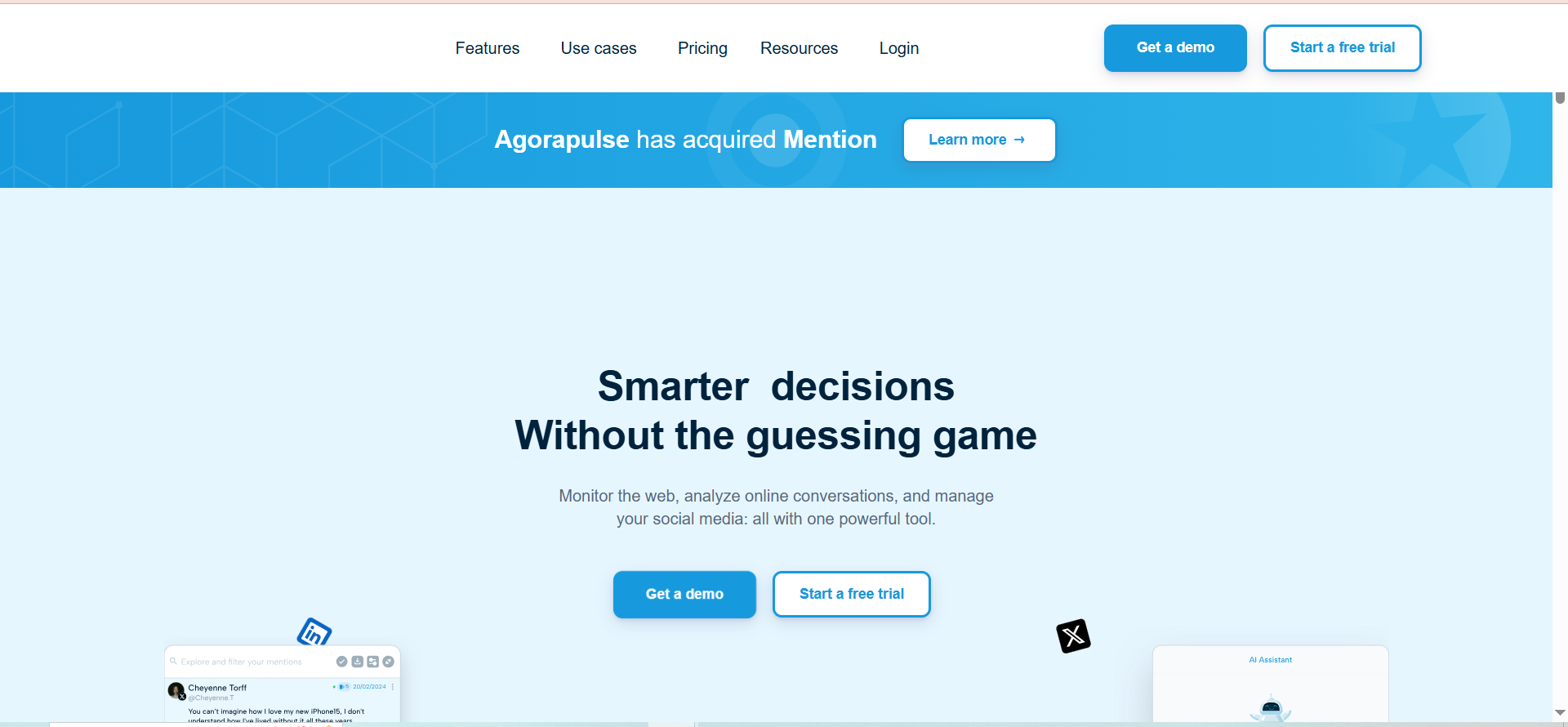
Mention is a real-time media monitoring platform that tracks every place your name, brand, or chosen keywords appear online. It scans social media platforms including X (formerly Twitter), Facebook, and Instagram alongside news sites, blogs, forums, and review platforms. The dashboard consolidates all mentions into a single feed where you can filter by source, sentiment, language, or date range, making it straightforward to separate signal from noise without switching between tabs.
Why Teams Use It
Personal-brand operators gravitate toward Mention because of its speed. Alerts arrive within minutes of publication rather than hours, which matters when you need to jump into a conversation while it is still active. The competitive benchmarking feature lets you track up to several competitors side by side, so you can see how your share of voice compares to peers in your space. Influencer identification surfaces the accounts with the largest reach that are already talking about you, giving you a shortlist of people worth engaging or partnering with.
What It Is Good For
Mention excels at fast, accessible monitoring across a wide surface area. If you speak at conferences, publish content regularly, or run a public-facing community, Mention catches the mentions that Google Alerts misses entirely, including social media posts, forum threads, and non-English sources. The broadcast media monitoring feature is a differentiator for personal brands that occasionally appear on TV or podcasts, as it captures those references too.
When It Is a Good Fit
Mention fits best if you are a solo operator or small team that wants real-time visibility into where your name appears without the complexity of enterprise platforms. It works well for consultants, coaches, authors, course creators, and SaaS founders who need to protect and grow their personal reputation alongside their business brand. If you post content multiple times per week and want to measure the ripple effect of each piece, Mention gives you that feedback loop.
When It Is Not a Good Fit
Mention is not the right tool if you need deep AI search engine monitoring. It does not track how ChatGPT, Perplexity, or Google AI Overviews reference your brand. It is also not ideal if your monitoring needs are very high-volume (over 20,000 mentions per month) on a tight budget, since the Solo and Pro plans cap out relatively quickly and upgrading to Company tier is a significant price jump to $599 or more per month.
How to Use It
Setting up Mention for a personal brand takes under ten minutes. Create an account, enter your name and any brand variations as alerts (for example, "Waqas Arshad," "The Rank Masters," "TRM"), add competitor names as separate alerts, choose your notification frequency (real-time for critical alerts, daily digest for lower-priority ones), and connect any social accounts you want to engage from directly within the dashboard. From there, check the feed daily, respond to high-priority mentions, and review the weekly analytics report to spot trends.
Key Capabilities
Mention delivers real-time alerts with notifications arriving within minutes of a mention going live. The sentiment analysis feature classifies mentions as positive, negative, or neutral so you can prioritize responses. Competitive benchmarking lets you compare your brand visibility against selected competitors. The influencer identification module surfaces the highest-reach accounts discussing your brand. Multi-language support covers monitoring in over 40 languages, and broadcast media monitoring captures TV and radio mentions alongside digital sources.
Pricing
Mention uses a tiered pricing model. The Solo plan starts at $41 per month and includes 5,000 mentions per month with two social accounts. The Pro plan increases the mention quota to 10,000 per month with additional features like competitive reports. The ProPlus plan offers 20,000 mentions per month. The Company plan starts at $599 per month and includes a dedicated account manager, 100,000-plus mentions, and custom integrations. Annual billing saves roughly two months of cost across all plans.
Free Tier?
No permanent free tier. Mention offers a 14-day free trial on all plans so you can evaluate the tool before committing.
Downsides and Limitations
The Solo plan's 5,000 mention cap can fill up quickly for personal brands that are frequently discussed or that operate in noisy niches. The jump from ProPlus to Company tier is steep, creating a gap for mid-market users. Mention does not monitor AI search engines or AI Overviews, which is an increasingly important blind spot in 2026. The sentiment analysis, while functional, is not as granular as Brand24's AI-driven approach, and it occasionally misclassifies sarcasm or nuanced commentary.
2. Brand24
What It Does
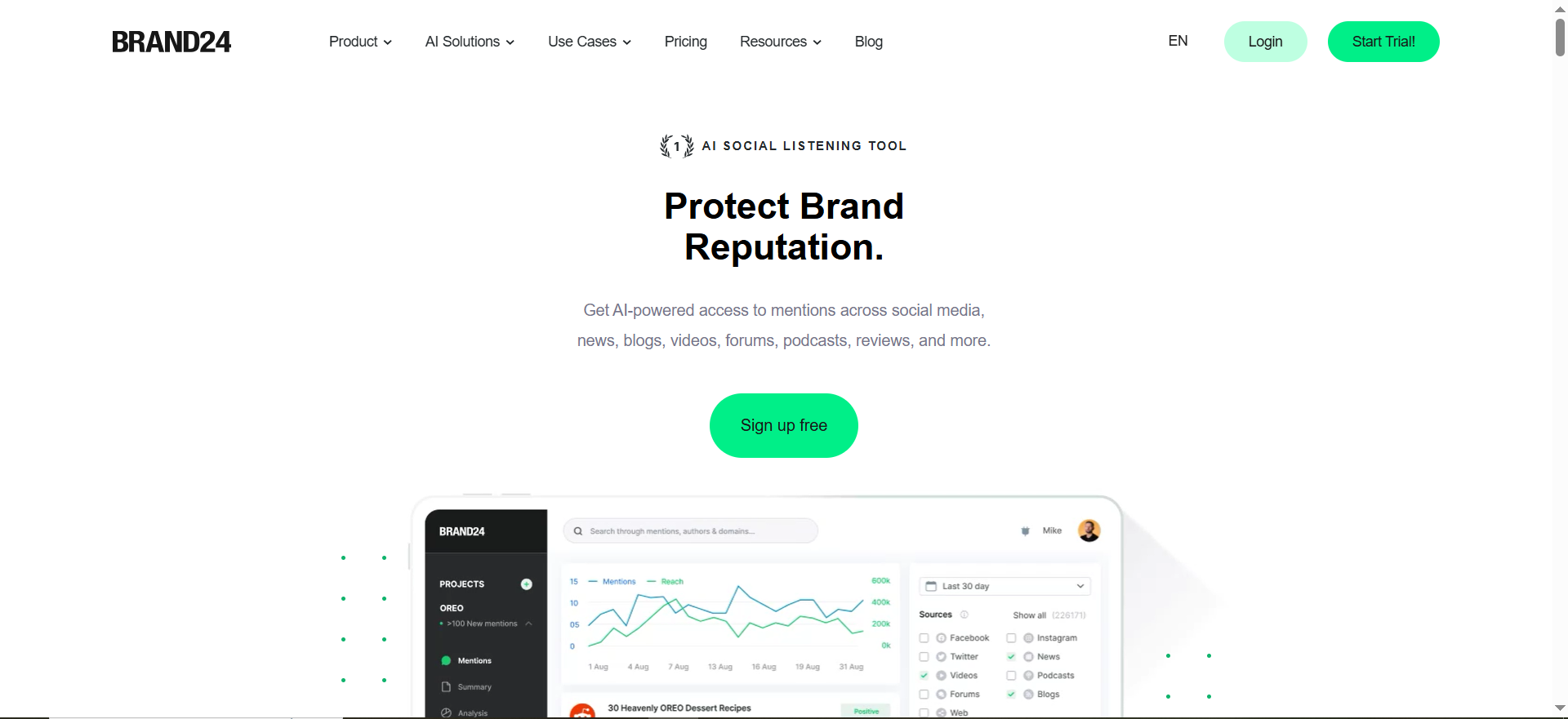
Brand24 is a media monitoring and social listening platform that tracks brand mentions across social media, news outlets, blogs, podcasts, forums, video platforms, and review sites. It uses AI-powered sentiment analysis to go beyond simple positive-negative classification by recognizing context, sarcasm, and industry-specific terminology. The platform generates an influence score for each source that mentions you, helping you prioritize which conversations deserve your attention.
Why Teams Use It
Personal-brand operators choose Brand24 when the quality of analysis matters more than raw mention volume. The AI sentiment engine is the tool's standout feature. Instead of just telling you that someone mentioned your name, it tells you how they feel about you and how much reach their opinion carries. The Discussion Volume chart and Trending Hashtags report make it easy to visualize spikes in attention, which is valuable after a keynote, a viral post, or a product launch.
What It Is Good For
Brand24 is particularly strong for personal brands that need to understand audience perception at a deeper level. If you are preparing a pitch to sponsors, writing a case study, or trying to understand why a particular piece of content performed well, Brand24's analytics dashboards give you the data points to back up your narrative. The presence score feature benchmarks your overall online visibility over time, so you can track whether your personal brand is growing or plateauing.
When It Is a Good Fit
Brand24 is a good fit for creators, consultants, and thought leaders who are past the awareness stage and want to optimize their brand positioning. It works well for people who publish regularly and want to measure sentiment shifts after specific campaigns, collaborations, or public appearances. If you regularly pitch brand partnerships or sponsorships, Brand24's exportable reports and influence scoring give you credible third-party data to include in your media kit.
When It Is Not a Good Fit
Brand24 is not the best fit if you are just starting out and need high mention volumes at the lowest possible cost. The Individual plan limits you to 3 keywords and 2,000 mentions per month, which is quite restrictive for the price. It is also not ideal if your primary need is social media scheduling and publishing, since Brand24 is a monitoring-only tool with no posting or scheduling capabilities. You would need a separate tool like Hootsuite or Buffer for content distribution.
How to Use It
Start by creating your first project with your personal name as the primary keyword. Add variations such as common misspellings, your business name, and your social handles. Set up a second project for your top competitor. Enable email notifications for mentions above a certain influence threshold so you only get pinged about high-impact conversations. Use the Mentions Feed for daily review, the Analytics tab for weekly trend analysis, and the Comparison tab monthly to benchmark against competitors.
Key Capabilities
Brand24's AI-powered sentiment analysis understands context and sarcasm, going beyond basic polarity classification. The influence score ranks every mention source by reach and authority. The presence score tracks your overall brand visibility over time as a single metric. Discussion volume charts visualize mention spikes tied to specific events or content. Multi-platform coverage spans social media, news, blogs, forums, podcasts, video platforms, and review sites. Automated PDF reports can be exported and shared with partners, sponsors, or stakeholders.
Pricing
Brand24's Individual plan costs $199 per month or $149 per month when billed annually, and includes 3 keywords, 2,000 mentions per month, and 1 user with updates every 12 hours. The Team plan costs $299 per month or $249 per month annually, offering 7 keywords, 10,000 mentions per month, unlimited users, and hourly updates. The Pro plan is $399 per month or $299 per month annually with expanded keyword and mention limits. The Enterprise plan is $399 per month for organizations requiring extensive data access and priority support. All plans except Individual include unlimited users.
Free Tier?
No free tier. Brand24 offers a 14-day free trial with no credit card required, giving full access to the plan you choose to evaluate.
Downsides and Limitations
The Individual plan's 2,000 mentions per month and 3 keywords are restrictive for the $149 per month annual price, especially compared to Awario's 30,000 mentions on a $24 per month plan. Updates on the Individual plan only come every 12 hours, which means you are not getting real-time alerts at the entry level. Brand24 is strictly a monitoring tool with no content publishing or scheduling features, so it always requires a companion tool for the action side of brand management. Pricing increases significantly between tiers without a proportional jump in value for personal-brand users.
3. Google Alerts
What It Does
Google Alerts is a free monitoring service from Google that sends you email notifications whenever new content matching your specified keywords appears in Google's search index. It covers web pages, news articles, blog posts, and any other content that Google crawls and indexes. You set a keyword, choose how often you want to be notified (as it happens, once a day, or once a week), and Google emails you links to matching results.
Why Teams Use It
Personal-brand operators use Google Alerts because it costs nothing and takes thirty seconds to set up. There is no account to create beyond a Google account you likely already have, no dashboard to learn, and no subscription to manage. For someone who is just starting to pay attention to their online presence, Google Alerts provides a zero-friction entry point that catches the most obvious mentions, including news articles, blog posts, and web pages that reference your name.
What It Is Good For
Google Alerts works well for catching mentions on news sites, industry blogs, and content-heavy websites that Google indexes quickly. If a journalist writes about you, if your name appears in a round-up article, or if someone publishes a blog post referencing your work, Google Alerts will typically catch it within a few hours to a day. It is also useful for monitoring competitor names and industry keywords at no cost, which makes it a good supplementary tool even if you use a paid platform for deeper monitoring.
When It Is a Good Fit
Google Alerts is the right starting point for personal brands that are early-stage, budget-constrained, or simply want a baseline level of awareness about where their name appears on the web. It is also a good fit as a secondary layer alongside a paid tool. For example, you might use Brand24 or Mention for social media and real-time monitoring, while running Google Alerts in the background to catch blog posts and news articles that sometimes fall outside those platforms' crawling scope.
When It Is Not a Good Fit
Google Alerts is not sufficient as your only monitoring tool if your personal brand has any meaningful online presence. It does not monitor social media at all, which means every mention on LinkedIn, X, Instagram, TikTok, Reddit, and YouTube comments is invisible to it. It does not provide sentiment analysis, influence scoring, or competitive benchmarking. It has no dashboard, no analytics, and no API, so there is no way to aggregate data, spot trends, or automate workflows. Notifications can be delayed by hours or even days, making it useless for time-sensitive situations like a PR crisis or a viral conversation you need to join. And it does not track AI search engines, so if ChatGPT or Perplexity is recommending you (or not), Google Alerts cannot tell you.
How to Use It
Go to google.com/alerts, enter your name in the search bar, and click Create Alert. Adjust the settings by clicking Show options to select your preferred frequency, sources, language, and region. Create separate alerts for your full name, your business name, any brand-specific terms, and your top competitors' names. Set high-priority alerts to as it happens and lower-priority ones to once a day to manage inbox volume.
Key Capabilities
Google Alerts provides email-based notifications for new indexed content matching your keywords. You can customize delivery frequency to real-time, daily, or weekly digests. Source filtering lets you narrow alerts to news, blogs, web, video, books, or discussions. Language and region filters help you focus on geographically relevant mentions. There is no limit on the number of alerts you can create, and the entire service is completely free with no hidden costs or premium tiers.
Pricing
Google Alerts is entirely free. There are no paid tiers, no premium features, and no usage limits. You need only a Google account to use it.
Free Tier?
Yes. Google Alerts is 100% free with no limitations on the number of alerts or notifications you can receive.
Downsides and Limitations
Google Alerts has significant blind spots that make it inadequate as a standalone monitoring tool for any serious personal brand. It does not monitor social media platforms at all, missing LinkedIn, X, Instagram, TikTok, Reddit, and YouTube comments. There is no sentiment analysis, so you have no idea whether a mention is positive, negative, or neutral. There is no competitive benchmarking or influence scoring. Notification delays can stretch to hours or days depending on Google's indexing schedule. It does not detect changes to existing pages, only new URLs. There is no API or webhook support for automation. And it cannot monitor AI search engines or AI-generated recommendations. For these reasons, Google Alerts works best as a free supplementary layer, not a primary monitoring solution.
4. Awario
What It Does
Awario is a social listening and brand monitoring tool that tracks mentions of your brand, name, or keywords across social media platforms, news sites, blogs, forums, and the broader web. It uses its own web crawler alongside API connections to surface mentions in near real-time, and includes Boolean search for advanced query construction. The platform provides sentiment analysis, share of voice metrics, and geographic breakdowns of where your mentions are coming from.
Why Teams Use It
Personal-brand operators choose Awario primarily because of its pricing-to-value ratio. The Starter plan offers 30,000 mentions per month at $24 per month when billed annually, which is significantly more generous than competitors like Brand24 (2,000 mentions at $149 per month) or Mention (5,000 mentions at $41 per month). For someone who monitors multiple keywords, including their name, their brand, competitor names, and industry terms, Awario's higher quotas mean you are far less likely to hit a cap mid-month.
What It Is Good For
Awario excels at high-volume monitoring without enterprise pricing. The Boolean search feature is particularly valuable for personal brands because it lets you construct precise queries that filter out noise. For example, if your name is common, you can build a Boolean query that includes your name AND your industry terms while excluding unrelated contexts. The Awario Leads feature scans conversations where people are asking for recommendations in your space, surfacing warm opportunities for engagement.
When It Is a Good Fit
Awario fits best for personal brands that need broad coverage at an affordable price. It is ideal for coaches, consultants, and course creators who monitor their own name, several competitors, and industry keywords simultaneously and do not want to worry about hitting a mention ceiling. It is also a strong choice for non-English personal brands, as Awario supports monitoring in multiple languages and has decent coverage of non-English social media and web content.
When It Is Not a Good Fit
Awario is not the best option if analytics depth and report polish are your top priorities. Its sentiment analysis and reporting dashboards are functional but not as refined as Brand24's AI-driven approach. The user interface can feel cluttered when managing many alerts, and the learning curve for Boolean search is steeper than the simple keyword setup offered by Mention or Google Alerts. If you need broadcast media monitoring (TV and radio mentions), Awario does not cover those channels.
How to Use It
Create an account and start with a new monitoring project. Enter your primary keyword (your name), add variations and related brand terms, and optionally create a Boolean query for precision. Set up separate projects for competitors. Configure notification preferences through email or in-app alerts. Check the Mentions Feed daily, use the Analytics dashboard weekly to track sentiment and share of voice trends, and review the Awario Leads tab periodically to find conversations where you can add value and gain visibility.
Key Capabilities
Awario delivers high-volume mention tracking with 30,000 mentions per month on the entry-level plan. Boolean search enables precise, noise-filtered monitoring queries. The Awario Leads feature surfaces conversations where people are seeking recommendations in your niche. Sentiment analysis classifies mentions and tracks shifts in brand perception. Share of voice metrics let you compare your visibility against competitors. Geographic and demographic breakdowns show where your mentions originate. Non-English monitoring supports a wide range of languages across social media and the web.
Pricing
Awario's Starter plan costs $39 per month or $24 per month when billed annually, and includes 3 topics, 30,000 new mentions per month, and Boolean search. The Pro plan costs $149 per month or $89 per month annually, with 15 topics and 150,000 mentions per month. The Enterprise plan costs $399 per month or $249 per month annually, with expanded limits and priority support. Custom plans are available by contacting the Awario team directly.
Free Tier?
No permanent free tier. Awario offers a free trial on the Starter plan, allowing you to create up to 3 alerts and access up to 30,000 mentions to evaluate the platform.
Downsides and Limitations
Awario's reporting and dashboards are not as polished or visually refined as Brand24's. The user interface can feel overwhelming when managing many projects simultaneously. Boolean search, while powerful, has a steeper learning curve than simple keyword-based setup. No broadcast media monitoring means TV and radio mentions are missed. The Starter plan limits you to 3 topics, which can be restrictive if you are tracking your name, a brand name, and multiple competitors. Influence scoring is less developed compared to Brand24 or Mention.
5. Hootsuite
What It Does
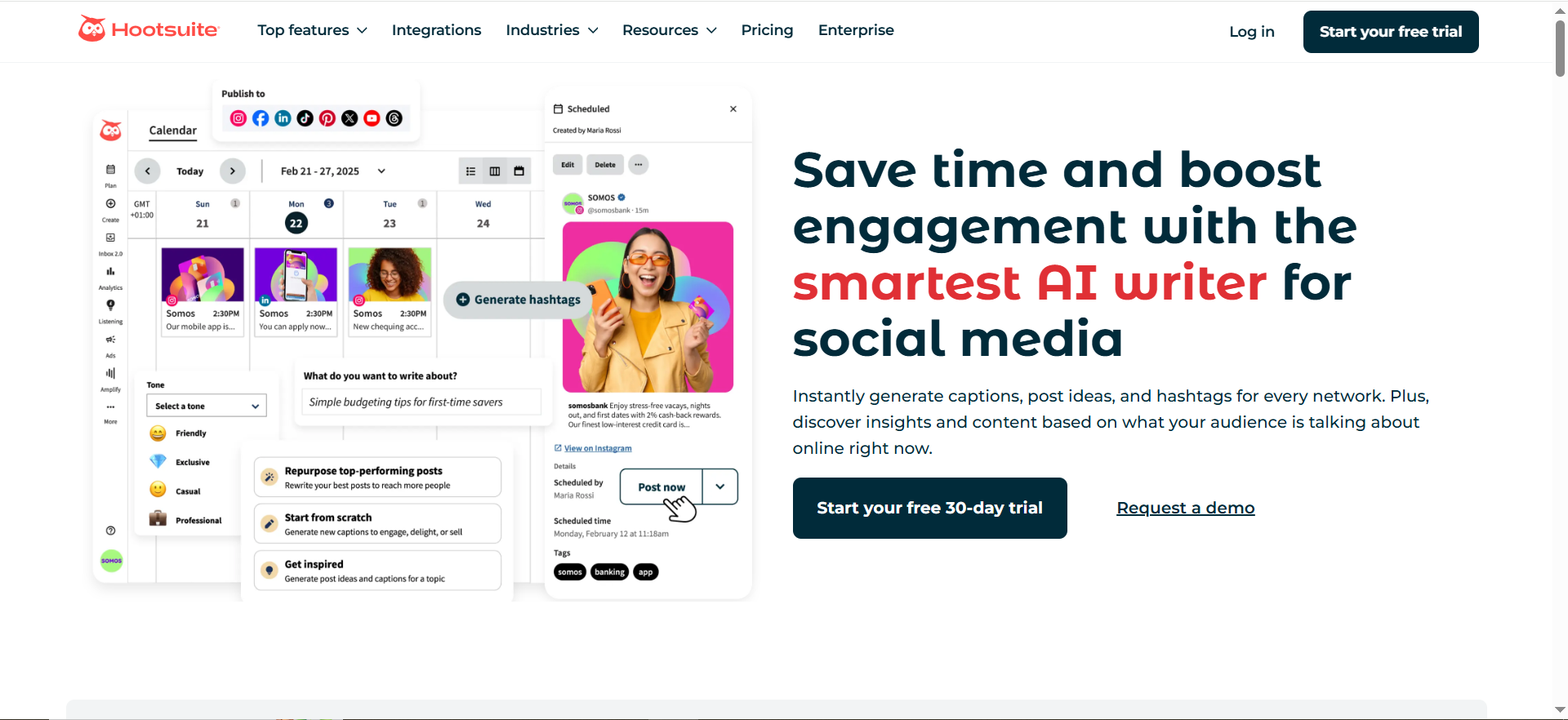
Hootsuite is a social media management platform that combines content scheduling, publishing, analytics, and social listening into a single dashboard. For brand monitoring purposes, Hootsuite's social listening feature (available on higher-tier plans) tracks mentions of your brand, competitors, and industry keywords across social media platforms. It pulls in mentions from X, Facebook, Instagram, LinkedIn, YouTube, and other connected networks, and overlays them with engagement metrics and sentiment indicators.
Why Teams Use It
Personal-brand operators who already use Hootsuite for scheduling and publishing their content choose it for monitoring because it eliminates the need for a separate tool. Instead of toggling between a scheduling platform and a monitoring dashboard, you can publish a LinkedIn post, track its engagement, and monitor the broader conversation about your brand all from the same interface. This consolidation saves time and reduces the number of subscriptions to manage.
What It Is Good For
Hootsuite is best suited for personal brands that prioritize social media as their primary channel and want scheduling, publishing, and monitoring unified in one place. The Streams feature lets you create custom columns that display real-time mentions, hashtag activity, competitor posts, and keyword-filtered conversations side by side. For someone who publishes multiple times per day across several platforms, this unified view is genuinely useful for staying on top of both outbound content and inbound mentions.
When It Is a Good Fit
Hootsuite fits best when you already use or plan to use a social media management platform and want to avoid paying for a separate monitoring tool. It is a good fit for personal brands that are heavily active on social media (posting daily across multiple platforms) and want to respond to mentions directly from the same interface where they schedule content. It also works well for small teams where multiple people need access to the same social accounts and monitoring streams.
When It Is Not a Good Fit
Hootsuite is not the right choice if monitoring is your primary need and scheduling is secondary. The social listening features are only available on higher-tier plans, and the per-user pricing model means costs escalate quickly as you add team members. If you need deep web monitoring beyond social media (news sites, blogs, forums, review platforms), Hootsuite's coverage is narrower than dedicated monitoring tools like Mention or Brand24. It also does not offer Boolean search, advanced influence scoring, or AI search engine tracking.
How to Use It
If you already have a Hootsuite account, navigate to the Streams section and create new streams for your brand keywords, competitor names, and industry hashtags. Set up streams for mentions of your social handles across each connected platform. Use the Listening feature (if available on your plan) for broader keyword monitoring. Configure notifications so you receive alerts for high-priority mentions. Review your streams daily alongside your scheduled content queue so monitoring and publishing become part of the same workflow.
Key Capabilities
Hootsuite provides unified social management by combining scheduling, publishing, analytics, and monitoring in one platform. Custom streams let you create filtered real-time columns for mentions, hashtags, and keywords. Multi-platform coverage connects X, Facebook, Instagram, LinkedIn, YouTube, Pinterest, and TikTok. Team collaboration features allow multiple users to manage social accounts and respond to mentions. Social listening on higher-tier plans delivers keyword and competitor monitoring with sentiment analysis. The scheduling engine supports bulk scheduling, optimal send-time suggestions, and content calendar views.
Pricing
Hootsuite's Professional plan starts at $99 per user per month when billed annually and includes basic features with up to 10 social accounts. The Team plan costs $249 per user per month annually and adds collaboration tools and advanced analytics. The Enterprise plan requires contacting sales for custom pricing and includes advanced social listening, custom integrations, and dedicated support. All plans use per-user pricing, which means every person who needs access is billed separately.
Free Tier?
No free tier. Hootsuite eliminated its permanent free plan. A 30-day free trial is available to evaluate the platform before committing.
Downsides and Limitations
Hootsuite's per-user pricing model makes it expensive for teams, as every additional user multiplies your monthly cost. The social listening and advanced monitoring features are locked behind higher-tier plans, so the entry-level plan is primarily a scheduling tool with limited monitoring. Web coverage outside of social media is narrower than dedicated monitoring platforms. There is no Boolean search for precise query construction. No AI search engine monitoring. And the monitoring feature set, while adequate for social-first personal brands, lacks the depth and analytics granularity of purpose-built tools like Brand24 or Mention.
How Do Brand Monitoring Tools Work for Personal Brands?
Brand monitoring tools work by continuously scanning a defined set of online sources, including social media platforms, news websites, blogs, forums, review sites, and in some cases broadcast media, for mentions of specific keywords you configure. For a personal brand, those keywords typically include your full name, common misspellings, your business name, social handles, and the names of key competitors. When a mention is detected, the tool logs it in a centralized dashboard and (depending on your settings) sends you a notification via email, in-app alert, or integration with tools like Slack. Most paid tools also classify each mention by sentiment (positive, negative, or neutral), assign an influence or reach score to the source, and aggregate the data into trend charts so you can see how your brand's visibility and perception change over time. The practical result is that instead of manually searching your name on Google, scrolling through social feeds, and checking forums, the tool does that work around the clock and surfaces only the mentions that require your attention.
What Is the Difference Between Brand Monitoring and Social Listening?
Brand monitoring and social listening are related but not identical. Brand monitoring is narrower in scope. It focuses on tracking specific mentions of your name, your brand, or your products across online sources. The goal is awareness: knowing when and where people talk about you so you can respond, amplify, or address issues. Social listening is broader. It goes beyond tracking your own mentions to analyze conversations around industry topics, competitor brands, audience pain points, and emerging trends. The goal is strategic insight: understanding what your market cares about, how sentiment shifts over time, and where opportunities or threats are forming before they affect you directly. In practice, many tools blend both capabilities. Brand24 and Awario offer social listening features alongside brand monitoring. Hootsuite positions its Streams as monitoring and its Listening module as social listening. Google Alerts is purely brand monitoring with no listening functionality. For personal brands, starting with brand monitoring (tracking your name and competitors) and then expanding into social listening (tracking industry themes and audience conversations) is the most practical progression.
Can Google Alerts Replace Paid Brand Monitoring Tools?
Google Alerts can supplement paid tools but cannot replace them for any personal brand with a meaningful online presence. The core limitation is coverage. Google Alerts only monitors content that Google indexes, which excludes all social media platforms, including LinkedIn, X, Instagram, TikTok, and Reddit. Since social media is where most brand conversations happen for personal brands in 2026, relying on Google Alerts alone means missing the majority of relevant mentions. Additionally, Google Alerts provides no sentiment analysis, no influence scoring, no competitive benchmarking, and no analytics dashboard. Notifications can be delayed by hours or days. There is no API for automation. And it cannot detect how AI search engines reference your brand. The best approach is to use Google Alerts as a free background layer that catches blog posts and news articles while running a paid tool like Mention, Brand24, or Awario for real-time social and web monitoring.
How Much Does Brand Monitoring Cost for Solopreneurs?
Brand monitoring costs for solopreneurs range from free to approximately $250 per month depending on the tool and plan you choose. Google Alerts is completely free and covers basic web mentions. Awario's Starter plan at $24 per month (billed annually) is the most affordable paid option and includes 30,000 mentions per month with social media coverage. Mention's Solo plan costs $41 per month and provides 5,000 mentions with real-time alerts. Brand24's Individual plan starts at $149 per month (billed annually) with AI-powered sentiment analysis but only 2,000 mentions per month. Hootsuite starts at $99 per user per month but its monitoring features are limited on the entry-level plan. For most solopreneurs, a combination of Google Alerts (free) plus either Awario ($24 per month) or Mention ($41 per month) provides sufficient coverage without overspending. Brand24 is worth the premium if sentiment analysis and influence scoring are critical to your brand strategy.
How to Set Up Brand Monitoring for a Personal Brand
Setting up brand monitoring for a personal brand involves five steps that apply regardless of which tool you choose. First, identify your keywords. Start with your full name, common variations and misspellings, your business or brand name, your primary social media handles, and the names of two to three direct competitors. Second, choose your tools. Start with Google Alerts for free web monitoring, then add a paid tool like Mention, Brand24, or Awario for social media and real-time coverage. Third, configure your alerts. Set high-priority keywords (your own name and brand) to real-time notifications and lower-priority ones (competitor names and industry terms) to daily or weekly digests to avoid alert fatigue. Fourth, establish a review routine. Check your monitoring dashboard once daily, respond to any time-sensitive mentions immediately, and do a deeper analytics review weekly to spot trends. Fifth, act on what you find. Respond to positive mentions with a thank-you or share, address negative mentions quickly and constructively, engage with influential accounts that are already talking about you, and use the data to refine your content strategy based on what generates the most positive attention.
Which Brand Monitoring Tool Has the Best Sentiment Analysis?
Brand24 has the strongest sentiment analysis among the five tools covered in this guide. Its AI engine goes beyond simple positive-negative-neutral classification by understanding context, recognizing sarcasm, and interpreting industry-specific language. Mention offers solid sentiment analysis that works well for most use cases but is less nuanced in edge cases involving sarcasm or ambiguous phrasing. Awario provides basic sentiment classification that is reliable for clear-cut positive or negative mentions but less accurate with subtle or mixed sentiment. Hootsuite includes sentiment indicators on higher-tier plans but does not match the depth of a purpose-built monitoring tool. Google Alerts offers no sentiment analysis at all.
Do You Need Brand Monitoring If You Have a Small Audience?
Yes, and arguably brand monitoring is more valuable at the small-audience stage than at the large-audience stage. When your audience is small, every mention carries disproportionate weight. A single negative review, an unanswered question in a forum, or a missed recommendation opportunity can meaningfully affect your trajectory. At scale, individual mentions get diluted by volume. At the early stage, each one matters. Brand monitoring at the small-audience stage also helps you identify your earliest advocates, the people who mention you voluntarily and positively. These are the relationships worth nurturing because they become your organic amplifiers as your brand grows. The cost barrier is minimal since Google Alerts is free and Awario starts at $24 per month. Even a basic monitoring setup ensures you never miss a mention that could turn into a client, a collaboration, or a reputation risk.
How to Track Brand Mentions Across Social Media
Tracking brand mentions across social media requires a tool that connects to the APIs of major platforms or uses web crawling to surface posts, comments, and threads that reference your keywords. Google Alerts cannot do this since it only monitors web content indexed by Google. Among the tools in this guide, Mention, Brand24, and Awario all provide cross-platform social media monitoring covering X, Facebook, Instagram, and other networks. Hootsuite monitors mentions across any social platform you connect to your account. The setup process is similar across tools: enter your brand keywords, connect your social accounts where supported, and configure notification preferences. For comprehensive social monitoring, you want a tool that covers at minimum X, Facebook, Instagram, LinkedIn, and Reddit, since these are the platforms where most personal brand discussions happen in 2026. Mention and Brand24 both deliver strong cross-platform coverage, while Awario offers the most mentions per dollar if volume is your primary concern.
Best Free Brand Monitoring Tools for Personal Brands
Google Alerts is the only truly free brand monitoring tool with no usage limits or hidden costs. It covers web content indexed by Google and lets you create unlimited alerts with customizable delivery frequencies. Its limitations (no social media, no sentiment analysis, no real-time alerts) are well documented but do not diminish its value as a free baseline layer. Beyond Google Alerts, several paid tools offer free trials that let you evaluate their full feature set before committing: Mention (14-day trial), Brand24 (14-day trial), Awario (free trial on Starter plan), and Hootsuite (30-day trial). If you genuinely cannot allocate any budget to monitoring, Google Alerts combined with manual checks on social media (searching your name periodically on each platform) is a workable starting point. Once your personal brand generates revenue, investing $24 to $41 per month in Awario or Mention gives you the social media coverage and real-time alerts that Google Alerts cannot provide.
What Should a Personal Brand Monitor Beyond Their Own Name?
Monitoring your own name is the starting point, but it is not sufficient on its own. A complete personal brand monitoring setup should also track your business or brand name (if different from your personal name), the names of two to three direct competitors so you can benchmark your share of voice, industry keywords and hashtags relevant to your niche so you can join trending conversations early, common misspellings of your name that people might use when mentioning you informally, the names of any products, courses, or services you sell, and key phrases associated with your expertise (for example, "B2B content strategy" if that is your positioning). Competitor monitoring is particularly valuable because it reveals the conversations and audiences you should be present in but are currently missing. Industry keyword monitoring positions you as a thought leader by enabling you to contribute to discussions before they peak. Most tools let you set up separate alerts or projects for each keyword category, so you can manage the signal-to-noise ratio for each without everything blending into a single noisy feed.
FAQs
Mention is the strongest all-around pick for personal brands due to its real-time alerts, competitive benchmarking, and accessible pricing starting at $41 per month. If sentiment analysis is your top priority, Brand24 is the better choice. If budget is your primary constraint, Awario offers the most mentions per dollar at $24 per month billed annually.
Google Alerts is a useful free supplement but is not sufficient on its own. It does not cover social media, offers no sentiment analysis or analytics, and has delayed notifications. Use it alongside a paid tool like Mention or Awario for complete coverage.
Most personal brands perform well with two tools: Google Alerts as a free web monitoring layer plus one paid tool (Mention, Brand24, or Awario) for social media and real-time coverage. Adding a third tool is usually unnecessary unless you have specialized needs like AI search engine monitoring.
Yes. All five tools support competitor monitoring. Mention, Brand24, and Awario let you set up dedicated alerts or projects for competitor names, and Brand24 and Awario include share-of-voice comparison dashboards. Google Alerts lets you create alerts for competitor names at no cost. Hootsuite's Streams feature lets you monitor competitor social activity.
Awario's Starter plan at $24 per month (billed annually) is the most affordable paid option and includes 30,000 mentions per month, social media monitoring, sentiment analysis, and Boolean search. It offers significantly more value per dollar than Mention ($41 per month for 5,000 mentions) or Brand24 ($149 per month for 2,000 mentions).
None of the five tools covered in this guide, which are Mention, Brand24, Google Alerts, Awario, and Hootsuite, currently track how AI search engines like ChatGPT, Perplexity, or Google AI Overviews reference your brand. This is an emerging monitoring category in 2026 with specialized tools addressing the gap.
Check your monitoring dashboard at least once daily for time-sensitive mentions that need a response. Set real-time alerts for critical keywords (your name, your brand) so you can act quickly on high-priority mentions. Conduct a deeper analytics review weekly to spot trends in sentiment, volume, and share of voice.