

TL;DR
If you are a founder trying to figure out what people are saying about your brand online, you do not need a $2,000/month enterprise suite. You need a tool that catches mentions fast, shows you whether sentiment is positive or negative, and stays out of your way so you can get back to building.
After testing and researching the leading brand monitoring tools available in 2026, the best options for most founders are Brand24 for well-rounded monitoring with AI-powered insights, Awario if budget is tight, and Google Alerts if you genuinely have zero dollars to spend. Mention works well for founders who need real-time speed above everything else, and Sprout Social fits founders who want brand monitoring bundled inside a full social media management platform.
This guide breaks down what each tool actually does, what it costs, where it fits, and where it falls short — so you can pick the right one without spending a week on demos.
Table of Contents
Best Brand Monitoring Tools for Founders (Quick Comparison)
| Tool | Best For | Starting Price | Free Tier | Social Monitoring | AI Mention Tracking | Sentiment Analysis |
|---|---|---|---|---|---|---|
| Brand24 | All-round monitoring with AI insights | $79/mo | 14-day trial | Yes | Yes | Yes |
| Mention | Real-time alerting speed | $49/mo | Free trial | Yes | Limited | Yes |
| Google Alerts | Zero-budget web monitoring | Free | Yes (fully free) | No | No | No |
| Awario | Budget-friendly paid monitoring | $24/mo (annual) | 7-day trial | Yes | No | Yes |
| Sprout Social | Full social management + monitoring | $199/mo | 30-day trial | Yes | No | Yes |
1. Brand24
What It Does
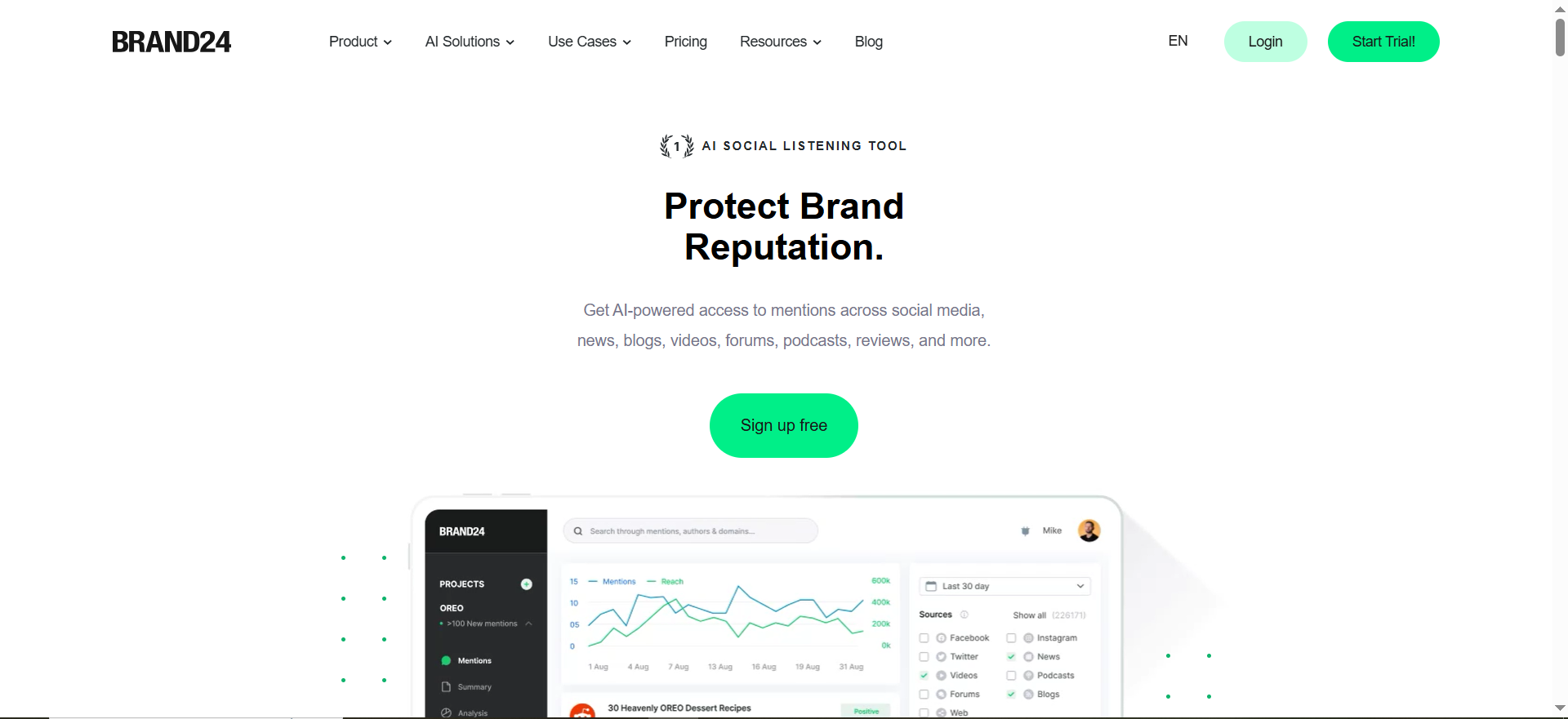
Brand24 is a social listening and brand monitoring platform that tracks mentions of your brand, products, competitors, or any keyword you care about across social media, news sites, blogs, forums, podcasts, and review platforms. It pulls everything into a single feed with AI-powered analysis layered on top, including sentiment scoring, anomaly detection, and automated summaries.
What sets Brand24 apart in 2026 is its AI chatbot monitoring feature. The platform now tracks how AI systems like ChatGPT, Claude, Gemini, Perplexity, and Grok mention and recommend your brand in their responses. For founders building in the AI era, this is a genuinely useful capability that most competitors have not caught up to yet.
Why Teams Use It
Founders and small marketing teams gravitate toward Brand24 because it hits the middle ground between "too basic" and "too expensive." You get real sentiment analysis, competitive benchmarking, and AI-driven insights without needing an enterprise budget or a dedicated analyst to interpret the data. The dashboard is clean enough that a founder can check it once a day and walk away with a clear picture of brand health.
The automated reporting is also a practical time-saver. You can schedule PDF reports and have them sent to co-founders, investors, or advisors without manually pulling data every week.
What It Is Good For
Brand24 excels at giving founders a comprehensive view of their online presence without requiring deep expertise in social listening. The AI anomaly detection is particularly valuable because it flags unusual spikes or drops in mention volume automatically, so you do not have to manually watch dashboards all day. If a blog post goes viral or a customer complaint starts gaining traction, Brand24 surfaces it before you would catch it on your own.
The platform also handles multi-language monitoring well, which matters for founders with international customers or those expanding into new markets.
When It Is a Good Fit
Brand24 fits best when you are a founder or small team that needs serious monitoring capabilities but cannot justify enterprise pricing. If you are past the Google Alerts stage, have some budget (starting at $199/month, or $149/month billed annually), and want AI-powered insights without hiring a social listening specialist, Brand24 is the natural next step. It works especially well for B2B SaaS founders who need to track brand perception, monitor competitor mentions, and catch customer sentiment shifts early.
When It Is Not a Good Fit
Brand24 is a monitoring-only tool. If you also need to schedule posts, manage a content calendar, or handle social media publishing, you will need a separate tool for that. It is also not ideal for very early-stage founders with minimal online presence — if your brand gets fewer than a handful of mentions per week, you may not get enough value from a paid tool to justify the cost.
Enterprise teams managing dozens of brands across global markets may find the keyword and mention limits on lower plans restrictive, pushing them toward the $399/month Pro plan or the custom-priced Enterprise plan.
How to Use It
Getting started with Brand24 takes about 10 minutes. Sign up for the 14-day free trial (no credit card required), enter your brand name as your first keyword, and optionally add competitor names or product keywords. Brand24 starts collecting mentions immediately and populates your dashboard within hours. From there, set up email or Slack alerts for mention volume thresholds, configure automated reports, and use the sentiment filter to separate positive feedback from complaints that need attention.
Key Capabilities
Brand24 delivers a strong feature set that covers the core needs of founder-level brand monitoring. Real-time mention tracking pulls from social media platforms, news outlets, blogs, forums, review sites, and podcasts. The AI-powered sentiment analysis categorizes every mention as positive, negative, or neutral, while anomaly detection flags unusual patterns automatically. The platform includes competitive analysis tools for benchmarking against rivals, geolocation and language filters for market-specific insights, and automated PDF reporting. The 2026 addition of AI chatbot monitoring — tracking how conversational AI systems reference your brand — is a forward-looking feature that founders in the AI space will find particularly relevant.
Pricing
Brand24 offers four pricing tiers, all with annual billing discounts of roughly 25%:
The Individual plan costs $199/month ($149/month billed annually) and covers 3 keywords with 2,000 mentions per month for a single user. The Team plan costs $299/month ($249/month billed annually) and adds 7 keywords, 10,000 mentions per month, unlimited users, and hourly updates. The Pro plan costs $399/month ($299/month billed annually) with expanded keyword and mention limits plus advanced features. The Enterprise plan offers custom pricing with unlimited mentions, unlimited keywords, and API access. All plans include a 14-day free trial with no credit card required.
Free Tier?
No permanent free tier. Brand24 offers a 14-day free trial that gives you full access to the platform, which is enough time to evaluate whether it meets your needs. After the trial, you must choose a paid plan to continue.
Downsides and Limitations
Brand24 does not include any social media publishing or scheduling features, so you will need a separate tool if you want to manage posting alongside monitoring. The Individual plan at $199/month ($149/month billed annually) may feel expensive for pre-revenue founders, especially when free alternatives exist for basic monitoring. Historical data access is limited on lower plans, and keyword limits on the Individual and Team plans can be restrictive if you need to track multiple brands, products, and competitors simultaneously. The platform also does not offer a permanently free tier, which means there is no way to use it long-term without a budget commitment.
2. Mention
What It Does
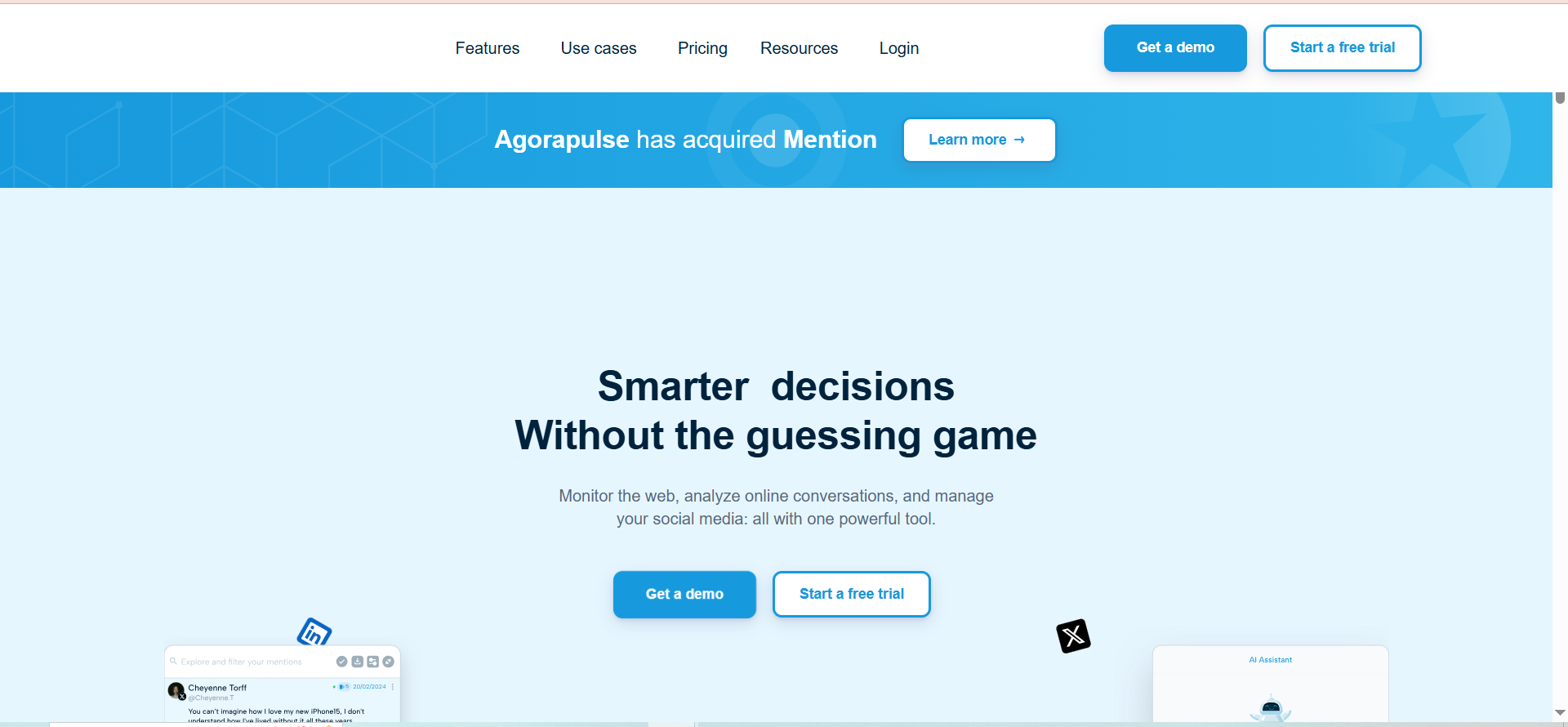
Mention is a real-time brand monitoring tool built around speed. It tracks mentions of your brand, keywords, and competitors across social media, news sites, blogs, forums, and review platforms, and delivers alerts faster than most competitors — often within minutes of a mention appearing online. The platform supports Boolean search operators that let you build precise monitoring queries, filtering out noise so you only see mentions that actually matter.
Why Teams Use It
Founders choose Mention primarily for its alerting speed. In reputation-sensitive situations — a product launch, a PR crisis, a competitor making claims about your space — minutes matter. Mention consistently delivers notifications faster than tools in its price range, which makes it a favorite among founders who need to respond quickly rather than analyze trends retroactively.
The competitive analysis features also punch above the tool's price point. You can track competitors alongside your brand, benchmarking mention volume and sentiment to spot positioning opportunities or catch emerging threats early.
What It Is Good For
Mention is strongest when real-time awareness is your primary need. The Boolean search functionality lets you create specific queries that filter out false positives — for example, if your brand name is a common word, you can build queries that only surface relevant mentions. This precision is valuable for founders whose brand names overlap with everyday language.
The platform also supports monitoring in 42 languages with automated translation, making it practical for founders targeting international markets or working with distributed teams.
When It Is a Good Fit
Mention fits founders who prioritize speed over depth. If your main concern is knowing about mentions as soon as they happen — so you can respond to customer feedback, jump into conversations, or address issues before they escalate — Mention delivers on that promise at a reasonable price starting at $41/month. It works well for founders in competitive markets where being first to respond gives you an edge.
When It Is Not a Good Fit
Mention is not the strongest choice if you need deep analytical capabilities like AI-powered anomaly detection, detailed sentiment trend analysis over time, or automated insight generation. It is more of a monitoring and alerting tool than an analytics platform. The Solo plan at $41/month also comes with limitations on the number of alerts and mentions tracked, which can feel constraining as your brand grows. Founders who need comprehensive reporting for stakeholders or investors may find the reporting capabilities less polished than competitors like Brand24.
How to Use It
Sign up for the free trial, enter your brand name and any competitor names you want to track, and configure your alert preferences (email, Slack, or in-app). Mention starts monitoring immediately. Use the Boolean search builder to refine your queries if you are getting too many irrelevant results — this is where the tool really shines when configured properly.
Key Capabilities
Mention provides real-time mention tracking with fast alerting, Boolean search operators for precise query building, competitive analysis and benchmarking, influencer identification within your mention stream, multi-language support across 42 languages, and integrations with Slack and other team communication tools. The platform covers social media, news, blogs, forums, and review sites.
Pricing
Mention offers four pricing tiers. The Solo plan costs $41/month and covers basic monitoring for individual founders with 5,000 mentions per month. The Pro plan provides 10,000 mentions per month with expanded monitoring capabilities and Boolean search. The ProPlus plan offers 20,000 mentions per month with advanced features and higher limits. The Company plan starts at $599/month on an annual contract with 100,000+ mentions per month and a dedicated account manager. Free trial available on all plans.
Free Tier?
No permanent free tier. Mention offers a free trial period to evaluate the platform. After the trial ends, a paid plan is required to continue monitoring.
Downsides and Limitations
Mention lacks AI-powered features like automated anomaly detection and AI-generated insight summaries that competitors like Brand24 have added. The reporting capabilities are functional but not as polished or automated as some alternatives. The Solo plan's mention and alert limits can feel restrictive quickly, and upgrading to Pro or ProPlus adds cost that can approach the pricing of competitors like Brand24. The platform also does not currently track mentions in AI chatbot responses, which is an emerging gap as AI search becomes more relevant for brand visibility.
3. Google Alerts
What It Does
Google Alerts is a free monitoring service from Google that sends you email notifications whenever new content matching your chosen keywords appears in Google's search index. You set up an alert with a keyword or phrase — your brand name, your product name, a competitor — and Google emails you when it finds new matching web pages, blog posts, news articles, or forum discussions.
That is essentially the full feature set. There is no dashboard, no sentiment analysis, no social media monitoring, and no analytics. It is a simple, zero-cost notification tool.
Why Teams Use It
The only reason to use Google Alerts is that it is completely free. For pre-revenue founders, solo operators, or anyone testing whether brand monitoring is worth their attention before committing budget, Google Alerts provides a low-effort starting point. It takes two minutes to set up, costs nothing, and will at least catch major web mentions like news articles, blog posts, and forum discussions that Google indexes.
What It Is Good For
Google Alerts works for basic web monitoring when your needs are simple and your budget is zero. If you just want to know when a blog writes about your product, when your name appears in a news article, or when a competitor gets mentioned in a relevant publication, Google Alerts will cover that. It is also useful as a supplementary tool — even founders using paid monitoring tools sometimes keep a Google Alert running as a backup net.
When It Is a Good Fit
Google Alerts fits founders who are very early stage with minimal online presence and zero monitoring budget. If your brand gets a handful of mentions per week at most and you mainly care about catching major web coverage, it does the job. It is also a good starting point for founders who are not yet sure they need brand monitoring at all — setting up a few alerts takes no commitment and gives you a baseline sense of your online mentions.
When It Is Not a Good Fit
Google Alerts is not a fit for any founder who needs real monitoring. It does not cover social media platforms like LinkedIn, X (formerly Twitter), Instagram, TikTok, or Reddit. It does not track sentiment, does not identify trends, does not offer competitive benchmarking, and does not detect changes to existing web pages — only new URLs. There is no API, no automation, no Slack integration, and no dashboard. Alerts can arrive hours or days late due to indexing delays, and relevancy filtering is poor, meaning you will receive notifications for loosely related content alongside genuinely important mentions.
For founders past the initial validation stage, Google Alerts is a placeholder, not a solution.
How to Use It
Go to google.com/alerts, type your brand name in the search field, choose your preferences (frequency, sources, language, region), and enter the email address where you want notifications delivered. Repeat for competitor names, product names, or industry keywords. The entire setup takes under five minutes. Check the "as-it-happens" frequency option for the fastest possible alerts, though even this can involve delays.
Key Capabilities
Google Alerts provides email notifications for new web content matching your keywords, coverage of blogs, news, web pages, videos, books, and discussion forums indexed by Google, adjustable frequency (as-it-happens, daily, or weekly digest), and language and region filtering. That is the complete feature set.
Pricing
Google Alerts is completely free. There are no paid tiers, no premium features, and no upsells. It is a free Google product with no monetization model attached to it.
Free Tier?
Yes — Google Alerts is entirely free. There is no paid version. What you see is what you get.
Downsides and Limitations
The limitations of Google Alerts are significant and well-documented. No social media monitoring means you miss the platforms where most brand conversations happen. No sentiment analysis means you cannot distinguish between positive coverage and complaints without reading every alert manually. No AI chatbot monitoring means you have no visibility into how AI search systems reference your brand. No API or webhook support means you cannot automate workflows or integrate with other tools. Delayed notifications mean mentions can go undetected for hours or days. Poor relevancy filtering means your inbox gets cluttered with loosely related content. And no dashboard or analytics means there is no way to spot trends, measure brand health over time, or generate reports for stakeholders.
Google Alerts is free for a reason — it is a minimal product that Google has not meaningfully updated in years.
4. Awario
What It Does
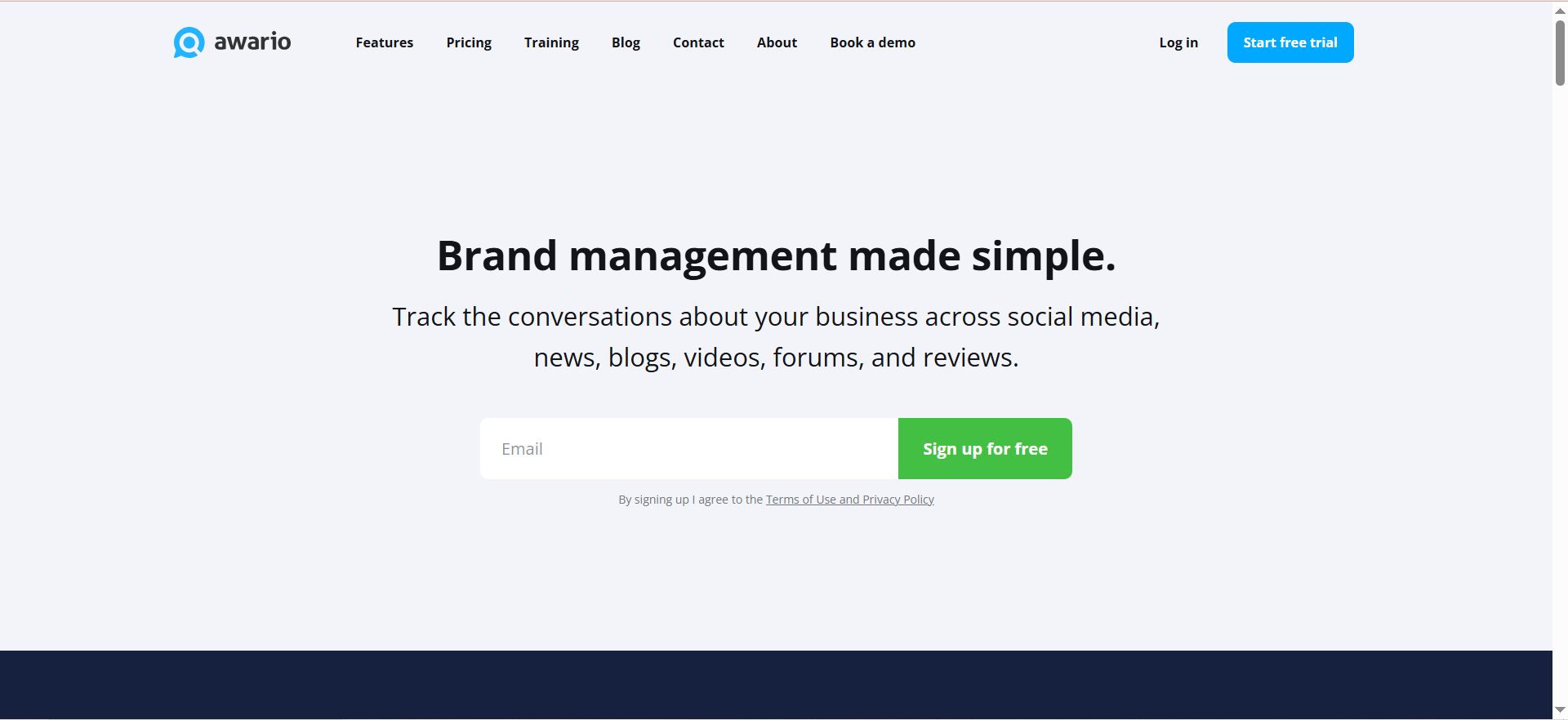
Awario is a social listening and brand monitoring tool that crawls over 13 billion web pages daily to track mentions of your brand, competitors, and industry keywords across social media, news outlets, blogs, forums, and the broader web. It combines real-time mention tracking with sentiment analysis, competitive benchmarking, and a unique lead generation feature that identifies potential customers discussing problems your product solves.
Why Teams Use It
Founders are drawn to Awario primarily because of its pricing. Starting at $24/month on an annual plan, it is one of the most affordable paid brand monitoring tools available, and it does not cut corners on core features the way you might expect at that price point. You get Boolean search, sentiment analysis, and competitive monitoring — capabilities that competitors charge two to three times more for.
The lead generation feature is also a differentiator. Awario can identify social media posts and forum discussions where people are asking for solutions in your category, giving founders a way to join relevant conversations and generate inbound interest organically.
What It Is Good For
Awario excels at giving budget-conscious founders access to paid monitoring capabilities without the price tag of tools like Brand24 or Sprout Social. The Boolean search functionality is available even on the Starter plan, which is unusual — many competitors lock this behind mid-tier or enterprise plans. This means you can build precise monitoring queries from day one, reducing noise and focusing on mentions that matter.
The platform's web crawling approach (13 billion pages daily) also means it catches mentions that API-only tools might miss, particularly on smaller blogs, niche forums, and regional news sites.
When It Is a Good Fit
Awario is the right choice for founders who need more than Google Alerts but cannot justify $199/month or more for Brand24. If you are a seed-stage or early-growth founder with a modest monitoring budget, Awario gives you the essential capabilities — real-time tracking, sentiment analysis, competitive monitoring, and Boolean search — at a price that will not strain an early-stage budget. It is also a strong fit for founders who want to use brand monitoring as a lead generation channel, not just a reputation management tool.
When It Is Not a Good Fit
Awario does not match the analytical depth of Brand24's AI-powered features. There is no anomaly detection, no AI-generated summaries, and no AI chatbot monitoring. The platform's reporting capabilities are more basic, and the user interface, while functional, is not as polished as higher-priced competitors. Founders who need automated, stakeholder-ready reports or who want to track how AI search engines mention their brand will find Awario falls short on those fronts.
The Starter plan's limit of 3 topics and 30,000 mentions per month can also feel restrictive quickly if you are monitoring your brand, multiple competitors, and industry keywords simultaneously.
How to Use It
Sign up for the free trial, create your first monitoring topic with your brand name, and Awario begins crawling immediately. Add competitor names and relevant keywords as additional topics (up to 3 on Starter, 15 on Pro). Configure alert preferences and use the Boolean search builder to refine results. The leads feature is accessible from the main dashboard — set up your category keywords and Awario will surface relevant conversations where potential customers are discussing needs your product addresses.
Key Capabilities
Awario provides real-time brand monitoring across social media, news, blogs, forums, and web pages, powered by daily crawling of over 13 billion pages. The platform includes sentiment analysis, competitive benchmarking, Boolean search on all plans, a lead generation tool that identifies potential customers in online conversations, multi-language support, and basic reporting. The Pro and Enterprise plans add white-label reports and higher mention volumes.
Pricing
Awario has three pricing tiers with significant annual billing discounts. The Starter plan costs $39/month or $24/month billed annually, covering 3 topics and 30,000 mentions per month. The Pro plan costs $74/month billed annually, supporting 15 topics and 300,000 mentions per month. The Enterprise plan costs $249/month billed annually, with 100 topics, 1,000,000 mentions per month, white-label reports, API access, and a dedicated account manager. Custom packages are available beyond Enterprise.
Free Tier?
No permanent free tier. Awario offers a free trial on the Starter plan, giving you access to 3 alerts and up to 30,000 mentions to evaluate the platform before committing.
Downsides and Limitations
Awario lacks AI-powered features that are becoming standard in the category — no anomaly detection, no AI summaries, and no tracking of brand mentions in AI chatbot responses. The Starter plan's 3-topic limit feels restrictive for founders who want to monitor their brand, competitors, and industry keywords simultaneously, pushing them toward the Pro plan at $74/month where the price advantage over Brand24 narrows. Reporting is more basic than competitors, and the user interface, while functional, is less polished. The platform also does not include any social media publishing or scheduling capabilities.
5. Sprout Social
What It Does
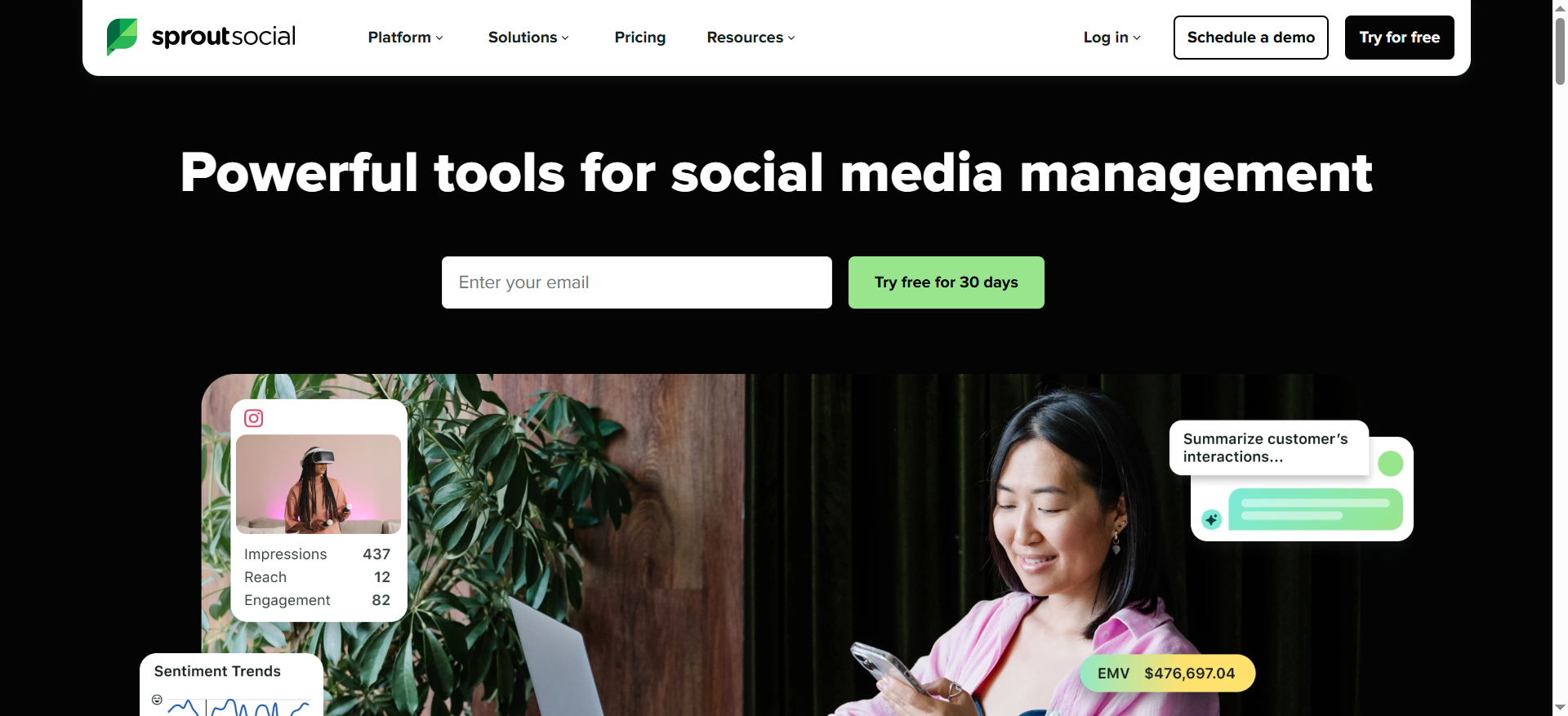
Sprout Social is a comprehensive social media management platform that includes brand monitoring as part of a much larger feature set. The platform covers social media publishing, scheduling, analytics, community management, employee advocacy, and social listening. The brand monitoring capabilities are built into both the core product (keyword monitoring in the Smart Inbox) and a premium Social Listening add-on that provides deeper analysis of brand mentions, sentiment, and competitive trends.
Unlike the other tools on this list, Sprout Social is not a dedicated monitoring tool — it is a full social media management suite that happens to include monitoring.
Why Teams Use It
Founders choose Sprout Social when they want one platform to handle everything social — publishing, scheduling, responding to comments and messages, analyzing performance, and monitoring brand mentions. Instead of paying for a scheduling tool, a monitoring tool, and an analytics tool separately, Sprout Social bundles everything together. For founders who are actively managing social media channels alongside monitoring, this consolidation can simplify operations and reduce tool sprawl.
The analytics and reporting capabilities are also strong. Sprout Social offers polished, presentation-ready reports that founders can share with co-founders, board members, or investors without additional formatting.
What It Is Good For
Sprout Social is strongest as an all-in-one social media command center. The Smart Inbox unifies messages, comments, and mentions from all connected social profiles into a single stream, making it practical for founders who are personally handling social media engagement. Keyword monitoring lets you track brand mentions, hashtags, and competitor names within social platforms, and the sentiment analysis provides a high-level read on how your audience feels about your brand.
The platform also excels at team collaboration if you have a small marketing team or social media manager — features like approval workflows, task assignment, and shared content calendars support coordinated social media operations.
When It Is a Good Fit
Sprout Social fits founders who need both social media management and brand monitoring in a single platform and have the budget to support it. If you are actively publishing content, engaging with your audience, and managing multiple social profiles — and you also want to monitor brand mentions and sentiment — Sprout Social eliminates the need for separate tools. It works particularly well for growth-stage founders with some revenue who are investing seriously in social media as a channel and want enterprise-grade reporting.
When It Is Not a Good Fit
Sprout Social is not a fit for founders who only need brand monitoring. At $199/month for the Standard plan (per user), it is the most expensive option on this list, and much of what you are paying for — scheduling, publishing, community management — is irrelevant if your only goal is tracking mentions. The Social Listening module with deeper monitoring capabilities is a premium add-on that increases the price further.
The per-user pricing model also scales poorly. A team of two founders already faces a $400/month commitment before any add-ons, making it difficult to justify unless social media management is a core part of your go-to-market strategy.
For founders who just want to know what people are saying about their brand, Brand24, Mention, or Awario deliver more monitoring value at a fraction of the cost.
How to Use It
Sign up for the 30-day free trial, connect your social media profiles, and configure keyword monitoring in the Smart Inbox. Set up keyword alerts for your brand name, product name, and competitor names. If deeper monitoring is a priority, inquire about the Social Listening add-on during your trial to evaluate whether the additional capabilities justify the added cost. Sprout Social's onboarding is polished with guided setup wizards that walk you through each feature.
Key Capabilities
Sprout Social provides a unified Smart Inbox for managing all social interactions, keyword monitoring and brand mention tracking, sentiment analysis, competitive benchmarking against rivals, social media publishing and scheduling across all major platforms, analytics and custom reporting dashboards, team collaboration tools with approval workflows, and review management for platforms like Google and Facebook. The premium Social Listening add-on adds deeper monitoring of brand conversations and trends across social and web sources.
Pricing
Sprout Social uses per-user pricing with three main tiers. The Standard plan costs $199/month per user and includes 5 social profiles, keyword monitoring, the Smart Inbox, and basic reporting. The Professional plan costs $299/month per user and expands to more profiles with additional features. The Advanced plan offers enterprise features at higher pricing. Social Listening and Premium Analytics are add-ons priced per user and topic volume. Annual billing is available. A 30-day free trial is offered.
Free Tier?
No permanent free tier. Sprout Social offers a 30-day free trial, which is longer than most competitors and gives you enough time for a thorough evaluation. After the trial, paid plans start at $199/month per user.
Downsides and Limitations
The biggest downside of Sprout Social for founders is cost. At $199/month per user, it is significantly more expensive than dedicated monitoring tools, and the price includes features you may not need if monitoring is your primary use case. The per-user pricing model makes it even more expensive as your team grows. Social Listening — the deeper monitoring capability — is a premium add-on, not included in the base price, which means genuine brand monitoring costs even more than the listed plan prices. The platform also does not track mentions in AI chatbot responses, and the Standard plan limits you to 5 social profiles, which forces an upgrade if you manage multiple brands or have profiles across many platforms.
What Is Brand Monitoring and Why Do Founders Need It?
Brand monitoring is the practice of tracking where and how your brand is mentioned across the internet — on social media, news sites, blogs, forums, review platforms, and increasingly, in AI-generated search results. It gives you visibility into what customers, prospects, competitors, and the broader market are saying about your company, products, and leadership.
For founders, brand monitoring serves a different purpose than it does for large enterprises. Enterprise teams use it for comprehensive reputation management across dozens of markets. Founders use it as an early warning system and a growth signal detector. When a customer posts a complaint on X, you need to know before it spreads. When an influential blog mentions your product, you need to engage while the conversation is fresh. When a competitor launches a feature that directly competes with yours, you need to understand how the market is responding.
Brand monitoring also helps founders validate positioning. If your messaging says "the fastest tool for X" but online conversations consistently describe you as "the most affordable," that gap between positioning and perception is critical strategic information. Monitoring surfaces these insights without requiring you to commission formal market research.
The practical reason founders need brand monitoring is simple — your reputation is forming whether or not you are watching. Monitoring means you are at least aware of it, and at best, actively shaping it.
How Much Should a Startup Spend on Brand Monitoring?
The right budget depends on your stage, your mention volume, and how much brand perception impacts your business. Here is a practical framework.
Pre-revenue and very early stage founders should spend $0. Google Alerts covers basic web monitoring, and at this stage, your mention volume is likely too low to justify paid tools. Spend your money on building the product and acquiring customers.
Seed-stage founders with early traction should consider $24 to $199/month. Tools like Awario (starting at $24/month annually) and Brand24 (starting at $199/month, or $149/month annually) give you real social monitoring, sentiment analysis, and competitive tracking. At this stage, you are getting enough mentions that manual tracking becomes impractical, and the insights from sentiment analysis and competitive monitoring start having strategic value.
Growth-stage founders should budget $149 to $299/month. As your brand gains visibility, mention volume increases, and the stakes of missing a negative mention or a competitive threat grow. Mid-tier plans from Brand24 or Mention provide the keyword capacity, alert speed, and reporting depth that growth-stage operations need.
The general rule is this — if your team is spending more than an hour per week manually checking social media for mentions, a paid monitoring tool will save you time worth more than the subscription cost. Founder time is the most expensive resource at any startup, and automating awareness of brand conversation is one of the better uses of a $24 to $200 monthly budget.
Brand Monitoring vs Social Listening — What Is the Difference?
These terms get used interchangeably, but they describe different activities with different scopes.
Brand monitoring is reactive tracking. It answers the question "what are people saying about my brand right now?" You set up keywords (your brand name, product names, competitor names), and the tool notifies you when those keywords appear online. The focus is on awareness — knowing what is being said, where, and by whom.
Social listening is proactive analysis. It goes beyond tracking your brand to understanding broader market conversations, industry trends, audience sentiment patterns, and emerging topics. Social listening answers questions like "how is sentiment toward our product category changing over time?" and "what pain points are potential customers discussing that we could address?"
In practice, most modern tools blend both. Brand24 and Awario offer elements of social listening (sentiment trends, competitive analysis) alongside core brand monitoring. Sprout Social explicitly separates the two — brand monitoring is included in the base product, while deeper social listening is a premium add-on.
For founders, the distinction matters primarily for budget decisions. If you just need to know when your brand is mentioned, basic brand monitoring tools are sufficient and cheaper. If you want to understand market dynamics, track category sentiment, and identify content opportunities, you need a tool with social listening capabilities — and should expect to pay more for it.
Can You Do Brand Monitoring for Free?
Yes, but with significant limitations. Google Alerts is the only truly free brand monitoring tool with broad coverage, and it only monitors content indexed by Google — meaning no social media, no sentiment analysis, no competitive benchmarking, and no real-time alerting.
Beyond Google Alerts, there are a few other free approaches. Manually searching your brand name on X, LinkedIn, Reddit, and other social platforms gives you real-time visibility but is time-consuming and not scalable. Setting up Google search notifications with your brand name gives you web coverage. Some tools like Awario and Brand24 offer free trials that let you test paid capabilities for a limited period.
The honest answer is that free brand monitoring works when your brand is small enough that mentions are infrequent and the stakes of missing one are low. Once you are getting regular mentions — even a few per day — the time cost of manual monitoring exceeds the subscription cost of a budget tool like Awario at $24/month. Free tools also completely miss social media conversations, which is where most brand discussions happen for consumer-facing and B2B products alike.
How to Set Up Brand Monitoring for a New Startup
Setting up brand monitoring does not need to be complicated. Here is a practical approach for founders starting from scratch.
Start by identifying your core monitoring keywords. At minimum, this includes your company name, your product name, your personal name as founder (if you are active on social media or speaking publicly), and the names of two to three direct competitors. If your brand name is a common word, plan to use Boolean operators (available in Mention and Awario) to filter out irrelevant results.
Next, choose your tool based on budget. If you have zero budget, set up Google Alerts for each keyword. If you have $24 to $199/month, sign up for Awario or Brand24 and enter your keywords as monitoring topics. If you already use a social media management tool, check whether it includes keyword monitoring before adding a separate tool.
Configure your alert preferences so you actually see the results. Daily email digests work for most founders — they give you a daily snapshot without creating notification fatigue. Set up real-time Slack notifications only for high-priority keywords like your brand name, so urgent mentions get immediate attention.
Finally, review your monitoring setup monthly. Add new keywords as your product evolves, remove ones that generate noise, and adjust your alert thresholds based on mention volume. Brand monitoring is not a set-and-forget activity — it requires occasional tuning to stay useful.
What Metrics Should Founders Track with Brand Monitoring Tools?
Not every metric a monitoring tool offers is relevant for founders. Focus on these five.
Mention volume over time shows whether awareness of your brand is growing, stable, or declining. A sudden spike can indicate a viral moment or a PR crisis — either way, you need to know about it.
Sentiment ratio (positive vs. negative vs. neutral) tells you whether the conversations happening about your brand are favorable. A high negative ratio is an early warning of customer dissatisfaction or product issues that need attention.
Share of voice compares your mention volume against competitors. If a competitor is consistently generating more conversation than you are, that is a positioning gap worth understanding.
Top sources reveal where your brand gets discussed most — whether that is X, LinkedIn, Reddit, industry blogs, or review sites. This tells you where to focus your engagement and where your reputation is being shaped.
Reach or influence of mentioners helps you prioritize which mentions to respond to. A mention from someone with 50 followers and a mention from an industry analyst with 50,000 followers require different responses.
How to Monitor Brand Mentions Across AI Search Engines
This is a new challenge in 2026 that most founders are not yet addressing, but it is becoming increasingly important. AI search engines like ChatGPT, Perplexity, Gemini, and Google AI Overviews are now a meaningful source of brand discovery and recommendation. When someone asks an AI assistant "what is the best project management tool for startups?" and your product is or is not mentioned, that directly impacts your pipeline.
Currently, Brand24 is the only tool on this list that explicitly tracks AI chatbot mentions, monitoring how systems like ChatGPT, Claude, Gemini, Perplexity, and Grok reference your brand in their responses. This is a 2026 feature addition that puts Brand24 ahead of competitors on this specific capability.
For founders using other tools, the manual approach is to periodically query relevant AI search engines with your category keywords and check whether your brand appears in the responses. This is not scalable, but it gives you baseline visibility. Tools like Otterly and Peec AI have also emerged specifically for AI search monitoring, though they are specialized products rather than general brand monitoring tools.
The broader point is this — if AI search is a discovery channel for your product (and for most B2B SaaS products, it increasingly is), you need some way to monitor your presence in AI-generated responses. This is a capability gap that most brand monitoring tools have not yet filled, which is why Brand24's early move into this space is notable.
How to Track Competitor Brand Mentions as a Founder
Tracking competitor mentions is one of the highest-value uses of brand monitoring for founders, and every paid tool on this list supports it.
The setup is straightforward — add your competitor brand names and product names as monitoring keywords alongside your own brand. Most tools let you create separate monitoring topics or projects for each competitor, so you can view their mention data independently.
What to look for in competitor mentions includes volume trends (are they generating more or less conversation over time?), sentiment patterns (are their customers happy or frustrated?), common complaints (pain points you can address in your own positioning), product launches or feature updates (competitive intelligence), and pricing discussions (market sensitivity to their pricing).
Brand24 and Awario both include dedicated competitive analysis features that benchmark your brand against competitors on metrics like mention volume, sentiment, and reach. Mention offers competitive tracking through its monitoring queries, though the analysis is less structured. Google Alerts can track competitor names but provides no analytical layer. Sprout Social includes competitive benchmarking in its analytics, though the Social Listening add-on provides the deepest competitive monitoring capabilities.
The practical tip for founders is to keep your competitor list focused. Track two to three direct competitors rather than every company in your space. Monitoring too many competitors creates noise and dilutes the insights that actually help you make decisions.
When Should a Founder Upgrade from Free to Paid Brand Monitoring?
The right time to upgrade from Google Alerts to a paid tool depends on three signals.
First, your mention volume has outgrown manual tracking. If you are getting more than a few mentions per week across the web and social media, manually checking platforms and reading Google Alert emails becomes a time sink. Once monitoring takes more than 30 minutes per week of your time, the $24 to $199/month for a paid tool pays for itself in recovered founder hours.
Second, you need social media coverage. Google Alerts does not monitor social platforms at all. If customers, prospects, or competitors are discussing your brand on X, LinkedIn, Reddit, or other social platforms — and you are missing those conversations — a paid tool immediately adds visibility you did not have before.
Third, you need to understand sentiment, not just volume. Knowing that your brand was mentioned 50 times last week is less useful than knowing that 40 of those mentions were positive and 10 were complaints about onboarding. Sentiment analysis, available in all paid tools on this list, turns raw mention data into actionable intelligence.
If any of these three signals apply to your situation, it is time to move to a paid tool. Awario at $24/month (annual) is the lowest-commitment upgrade, and Brand24 at $199/month ($149/month annually) is the best value for founders who want comprehensive monitoring with AI-powered insights.
What Is the Difference Between Brand Monitoring and Social Media Management?
Brand monitoring and social media management are related but distinct functions, and confusing them leads to buying the wrong tool.
Brand monitoring is about listening — tracking what people say about your brand across the internet and analyzing that data for insights. It is a passive, intelligence-gathering activity. You are not publishing content or engaging directly through the monitoring tool (though the insights may inform what you publish and how you engage).
Social media management is about doing — publishing posts, scheduling content, responding to comments and messages, managing a content calendar, and analyzing the performance of your owned social media channels. It is an active, execution-focused activity.
Sprout Social is the only tool on this list that covers both functions, which is why it costs significantly more. Brand24, Mention, Awario, and Google Alerts are purely monitoring tools — they do not publish, schedule, or manage social media content.
For founders, the practical question is whether you need both in one platform. If you are actively managing social media and also want monitoring, Sprout Social or a similar all-in-one tool may simplify your marketing stack. If you primarily need monitoring and handle social publishing through a separate tool (or do not publish much at all), a dedicated monitoring tool at $24 to $199/month is more cost-effective.
Frequently Asked Questions
Google Alerts is the only genuinely free brand monitoring tool with broad web coverage. It monitors news, blogs, web pages, and forums indexed by Google and sends email notifications when new content matches your keywords. It does not cover social media, does not analyze sentiment, and notifications can be delayed, but for zero budget, it provides baseline web monitoring that is better than nothing.
Awario offers the best value for budget-conscious founders. Starting at $24/month on an annual plan, it provides real-time monitoring across social media and the web, sentiment analysis, Boolean search, competitive tracking, and a lead generation feature — all at a price point that is accessible for seed-stage and bootstrapped startups.
As of 2026, Brand24 is the only general brand monitoring tool on this list that tracks how AI chatbots like ChatGPT, Claude, Gemini, Perplexity, and Grok mention your brand. This is a newer capability, and most competitors have not yet added it. Specialized tools like Otterly exist for AI search monitoring specifically, but for founders wanting one tool to cover both traditional and AI mentions, Brand24 currently leads.
Start with four to six keywords — your company name, product name, founder name (if publicly active), and two to three direct competitor names. This gives you coverage of your own brand and basic competitive intelligence without overwhelming you with data. Expand only when you have the capacity to actually review and act on additional mention data.
No. Sprout Social starts at $199/month per user and includes a full social media management suite. If you only need brand monitoring, you are paying for features you will not use. Brand24 at $199/month ($149/month annually) or Awario at $24/month (annually) provide better monitoring value for founders who do not need publishing, scheduling, and community management tools bundled in. Sprout Social only makes sense if you genuinely need both social media management and monitoring in a single platform.
Speed varies by tool and source. Mention is consistently the fastest, often delivering alerts within minutes of a mention appearing online. Brand24 and Awario also provide near-real-time monitoring with alerts typically arriving within minutes to an hour. Google Alerts is the slowest, with notifications sometimes arriving hours or days after a mention due to Google's indexing delays.
Not typically. Brand monitoring tools are most valuable when your brand is actively being discussed online. Pre-launch founders are better served by setting up free Google Alerts for their company name and competitor names as a lightweight awareness tool, then investing in paid monitoring after launch when mentions begin accumulating. The exception is if you are running a public pre-launch campaign — in that case, monitoring the conversation around your launch is valuable.