
Buy the enterprise SEO suite that removes your single biggest bottleneck, not the one with the longest feature list. For most multi-site B2B SaaS teams that means a crawl-focused platform such as Botify or seoClarity for technical debt, Conductor for cross-team content work, and a pilot of your top two before you sign.
That holds when you run several sites or regions, have engineering time to act on crawl data, and a budget that clears quote-based pricing.
It fails if the real blocker is staffing rather than software, because no platform fixes a team that cannot ship the changes it finds.
Most enterprise SEO comparisons are feature lists with a logo on every row. They tell you what a platform can do and nothing about whether your team can use it. Feature lists are cheap to write and close to useless to buy from.
This guide works the other way round. It starts with a decision rule built on your bottleneck, prints only the prices a vendor's own page shows, and ends with a 14 to 28 day pilot you can run before you sign. It is written for the SEO manager at a Series B-C or enterprise B2B SaaS company who has to shortlist platforms for the next budget cycle.
The real question is not which suite is best. It is which suite fixes the one thing slowing your organic growth right now.
Modern leaders aren’t asking “How do we rank?” They’re asking: “How do we show SEO’s direct influence on pipeline, efficiency, and shareholder value?” That’s where automated SEO platforms for SaaS step in, unifying technical SEO, content velocity, backlink strategy, and board-ready reporting into one growth engine.
If you are weighing a platform because nobody owns SEO day to day, see how our GEO + SEO Growth Programme covers the work. It may change what you need to buy.
📋 Get Listed / Advertise
We update this guide monthly. Want your tool featured? Contact: [email protected].
Enterprise SEO Suites At A Glance
Here are the five platforms side by side, with Surfer held at number one and the other four ordered by how they are profiled below.
| Tool | Best For | Stand-out Feature | Pros | Cons |
|---|---|---|---|---|
| Surfer | AI-driven on-page content optimization for content-led teams | NLP-powered Content Editor + Surfer AI for ready-to-rank drafts | Fast, data-backed content briefs that scale; easy for writers and agencies to adopt | Limited technical SEO |
| Conductor | One view of content and technical health | Conductor Intelligence for AI answer engine visibility and unified insights | 24/7 monitoring with an audit trail; MCP server and Data API for BI environments | Rates, limits and named integrations are not published |
| Botify | Technical teams with engineers who can ship fixes | AI Activation with SmartLink, PageWorkers and SmartIndex | AI visibility analytics with 1000+ metrics | Pricing on request; homepage does not name log file analysis |
| seoClarity | Multi-domain teams that want tiered pricing | Technical SEO tier with log file analysis | Published tiers from $2,500 a month; customisable dashboards | Price scales with domains and keywords; no GA4, GSC or BI connector named |
| Semrush Enterprise | Teams that want broad search data | Site Intelligence crawling for up to millions of pages | Self-serve plans from $117.33 a month billed annually | Enterprise priced on request; only Adobe Brand Visibility named as an integration |
1. Surfer – Best Overall Enterprise SEO Platform
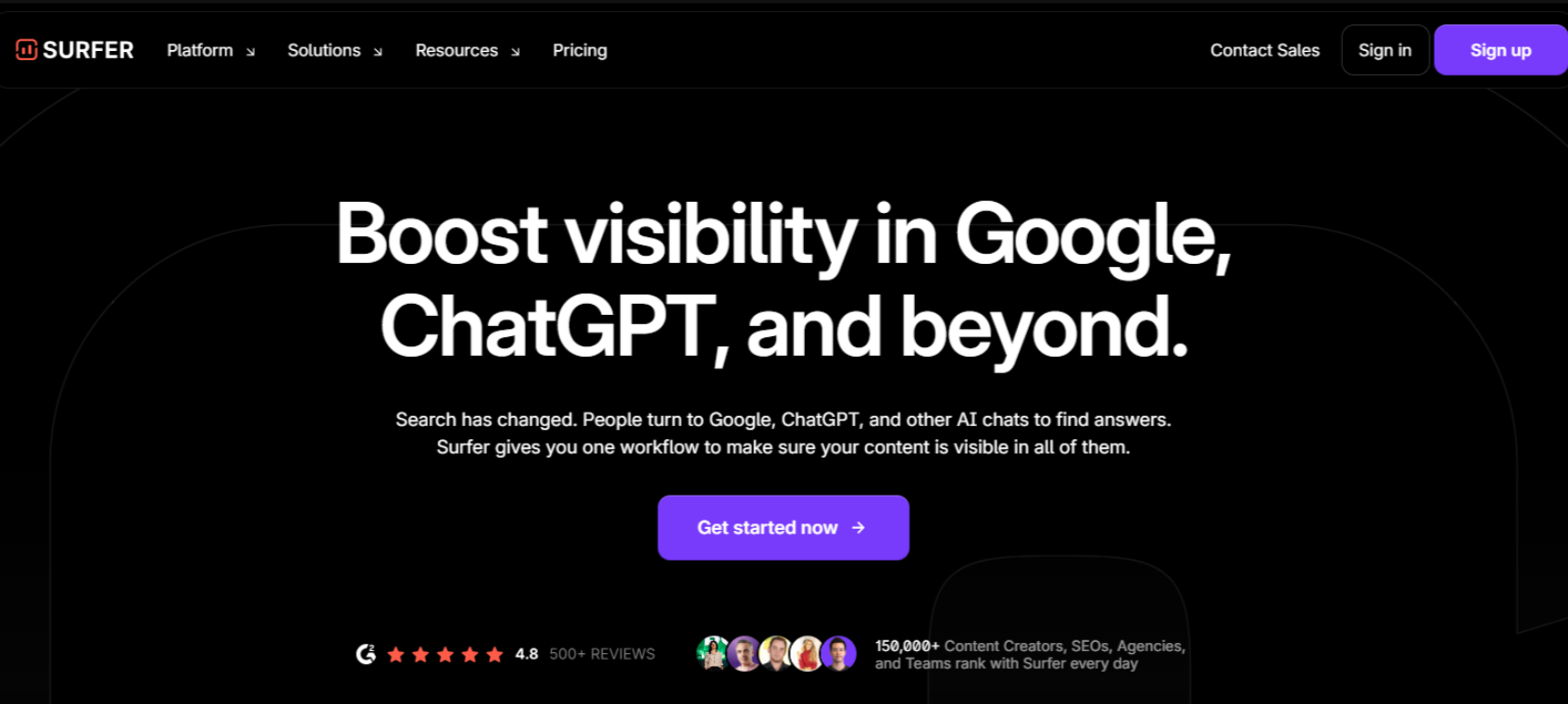
Surfer is an enterprise-ready SEO and AI content platform that brings strategy, content creation, and optimization into one workflow. It’s built for brands that publish at scale and need consistency in quality, brand voice, and results across hundreds or thousands of pages.
Enterprise SEO and content teams can use Surfer SEO to centralize research, creation, and optimization, while keeping everyone aligned on the same data, guidelines, and processes.
Brand Knowledge, Custom Voices & Templates
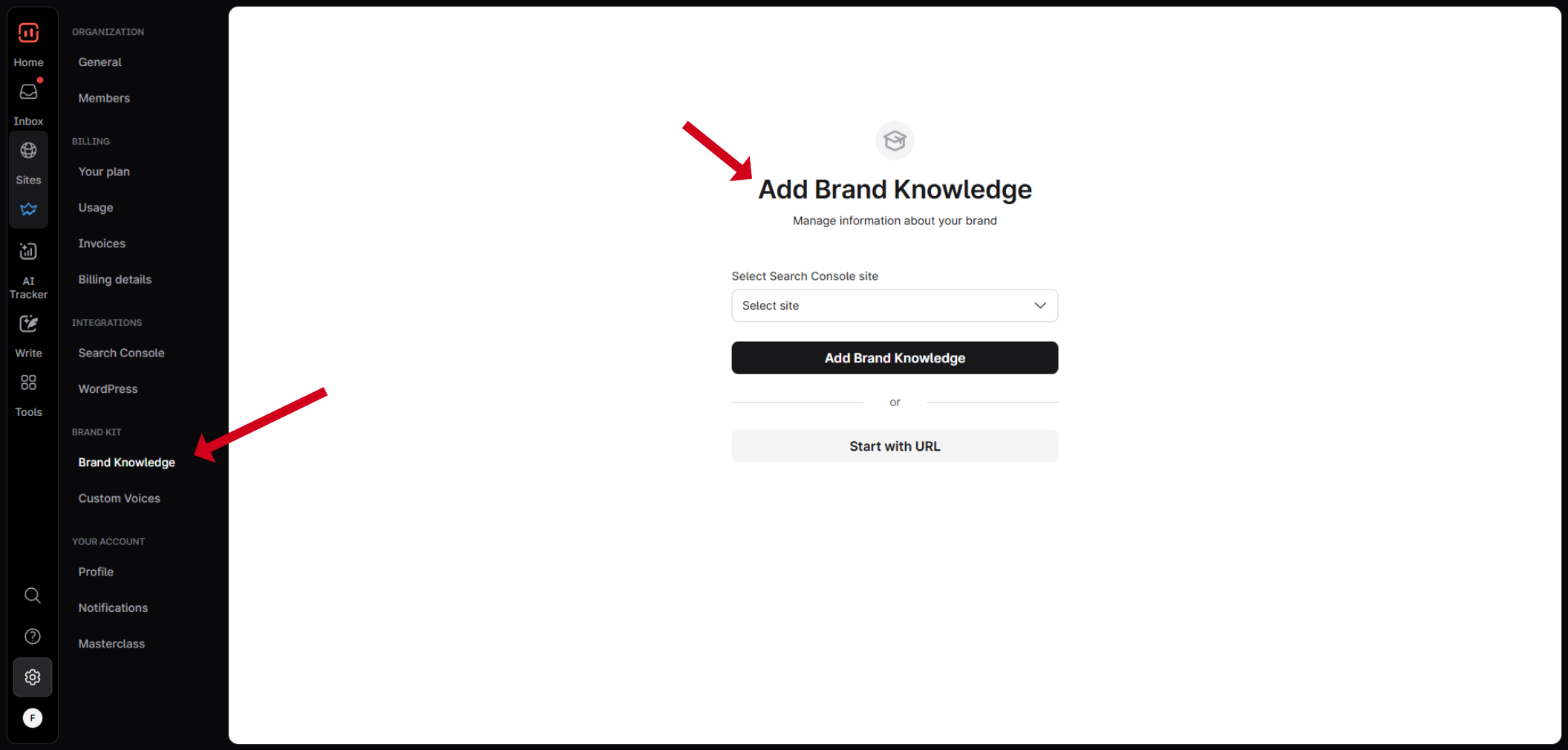
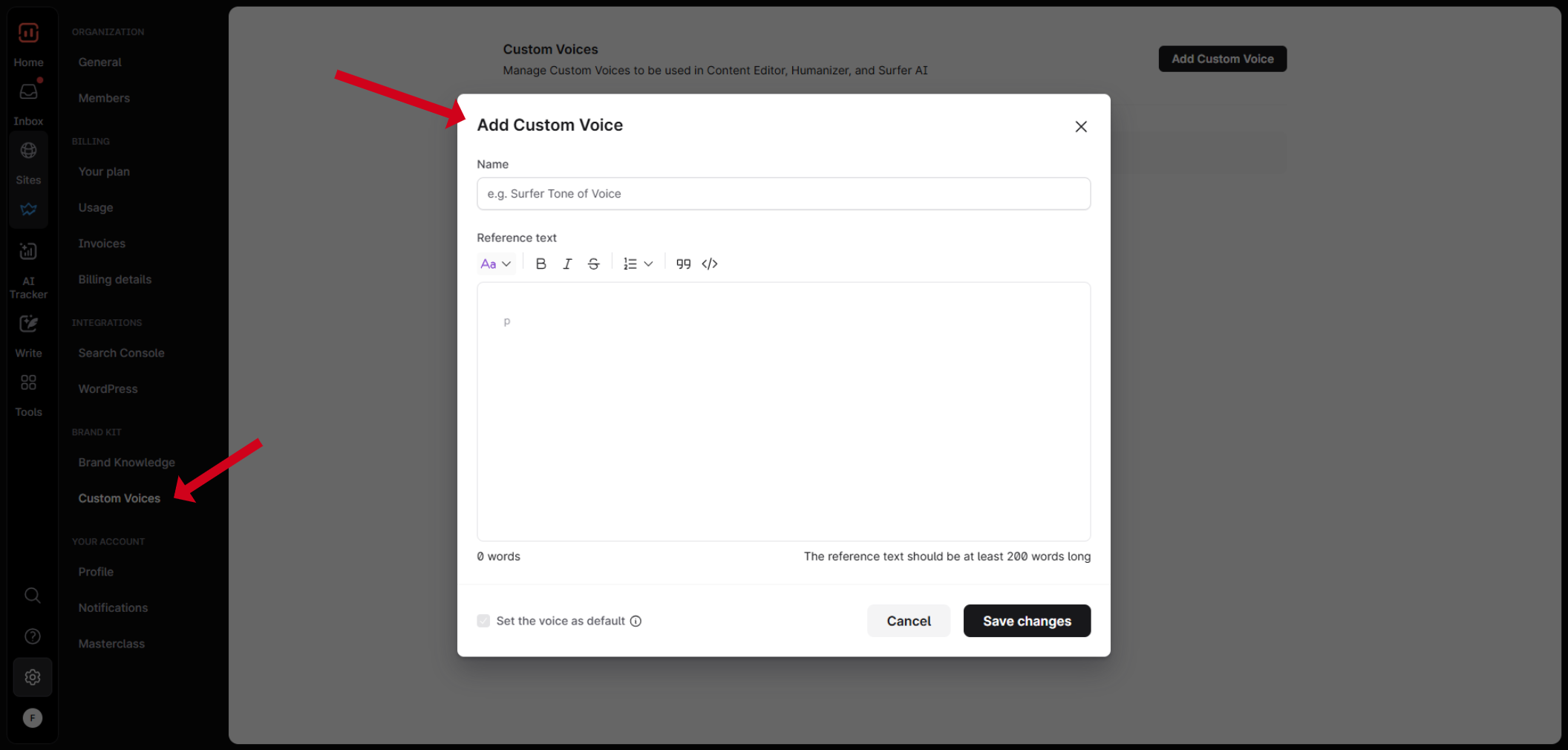
Surfer lets you build Brand Knowledge and Custom Voices, so the platform “learns” your tone, messaging, and rules. This means AI-generated drafts feel on-brand even when multiple writers and markets are involved.
You can also create Custom Templates for different content types (blog posts, landing pages, product/category pages, etc.). At enterprise scale, this is crucial for keeping structure, quality, and SEO requirements consistent across large content volumes.
Content Editor (Built for Google & LLMs)
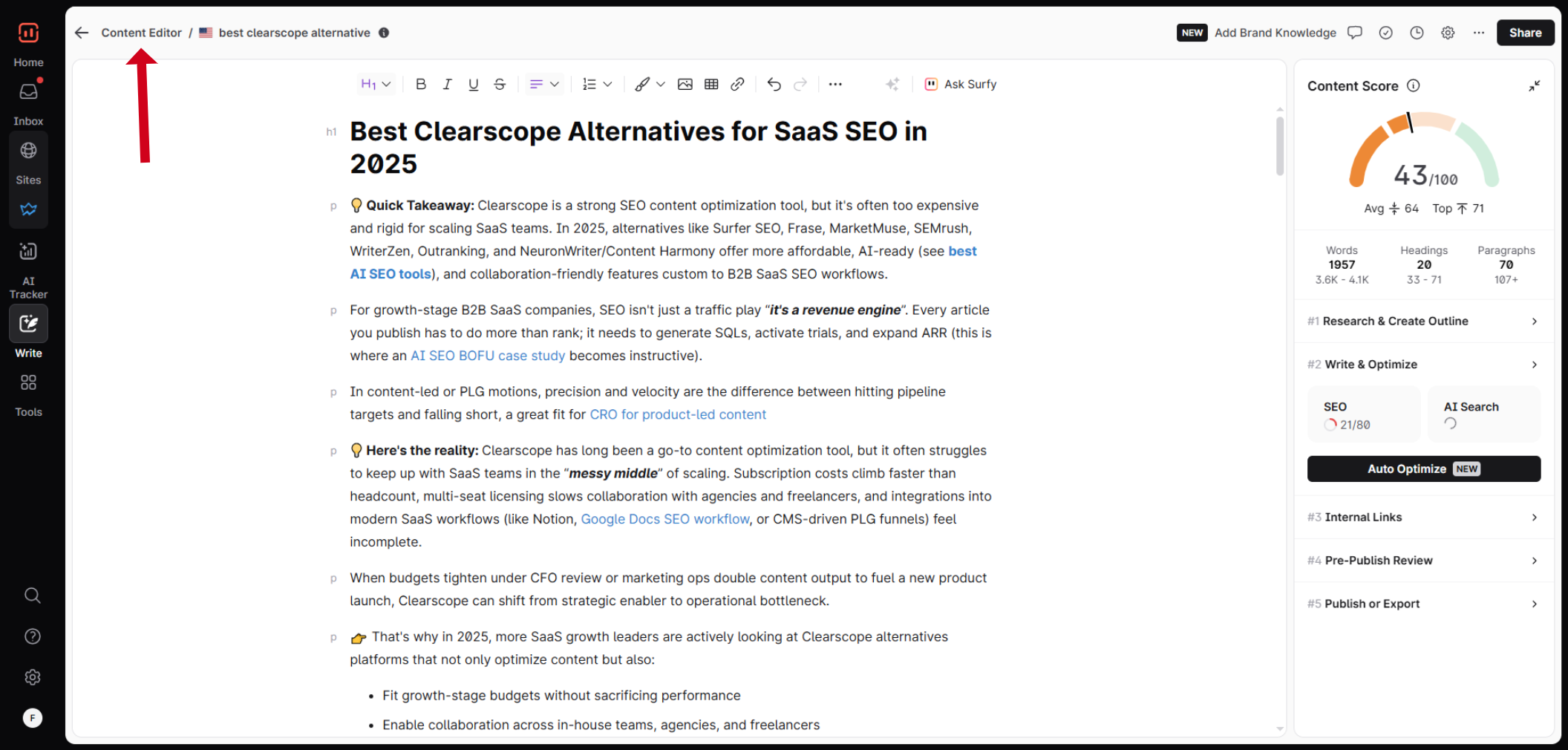
Surfer’s Content Editor is where writers and SEOs spend most of their time. It helps you:
- Shape the right structure with headings and word count
- Include relevant entities and terms based on real SERP & LLM data
- Automated Internal links insertion & 1-click article optimization
- Add the kind of factual depth that both Google and modern LLMs/AI Search systems respond to
Instead of guessing what to include, your team gets a clear, data-backed brief inside the editor so each new piece is easier to rank and easier for AI systems to understand.
Surfer AI & Surfy: Bulk, AI-Assisted Content
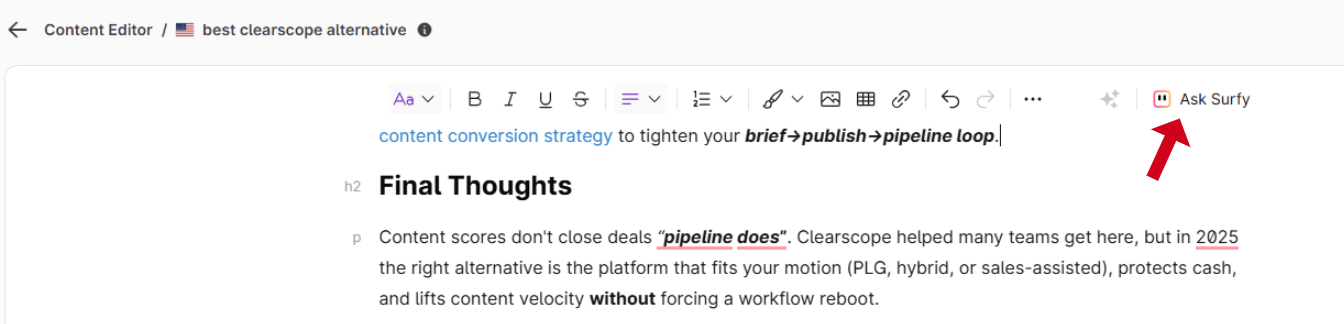
For teams that need to publish at scale, Surfer AI and Surfy generate full, ready-to-optimize articles directly inside the Content Editor. The AI is guided by Surfer’s data, so content is created with rankings in mind from the start, plus you can add your own Brand Knowledge & Custom Voices to make sure content is completely aligned with your brand.
This is especially useful when you’re building out large topic clusters or supporting many product categories and need first drafts fast, without sacrificing structure or optimization.
AI Tracker & Optimization for AI Search
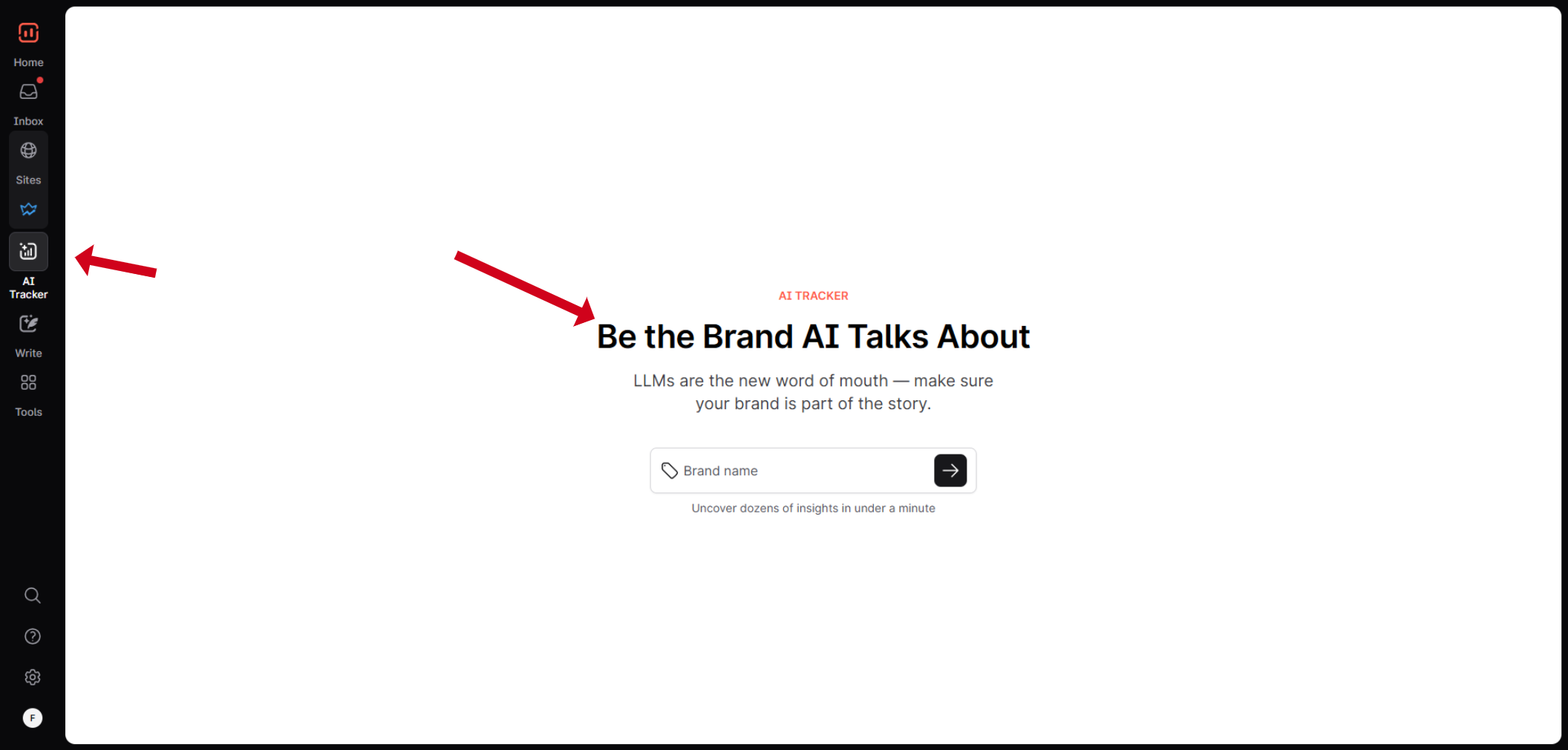
As AI-driven experiences grow (AI answers, AI overviews, chat-based search like in ChatGPT, etc.), AI Tracker helps you understand how and where your pages show up in those environments.
Instead of guessing how AI systems are using your content, you can:
- See where you already appear
- Spot gaps and opportunities
- Adjust key pages so they’re more likely to be surfaced in AI responses
- Spot sources which are mentioned and build off-site strategy
For enterprise brands planning long-term, this is important protection against losing visibility to AI-first experiences.
Content Audit & Topical Map
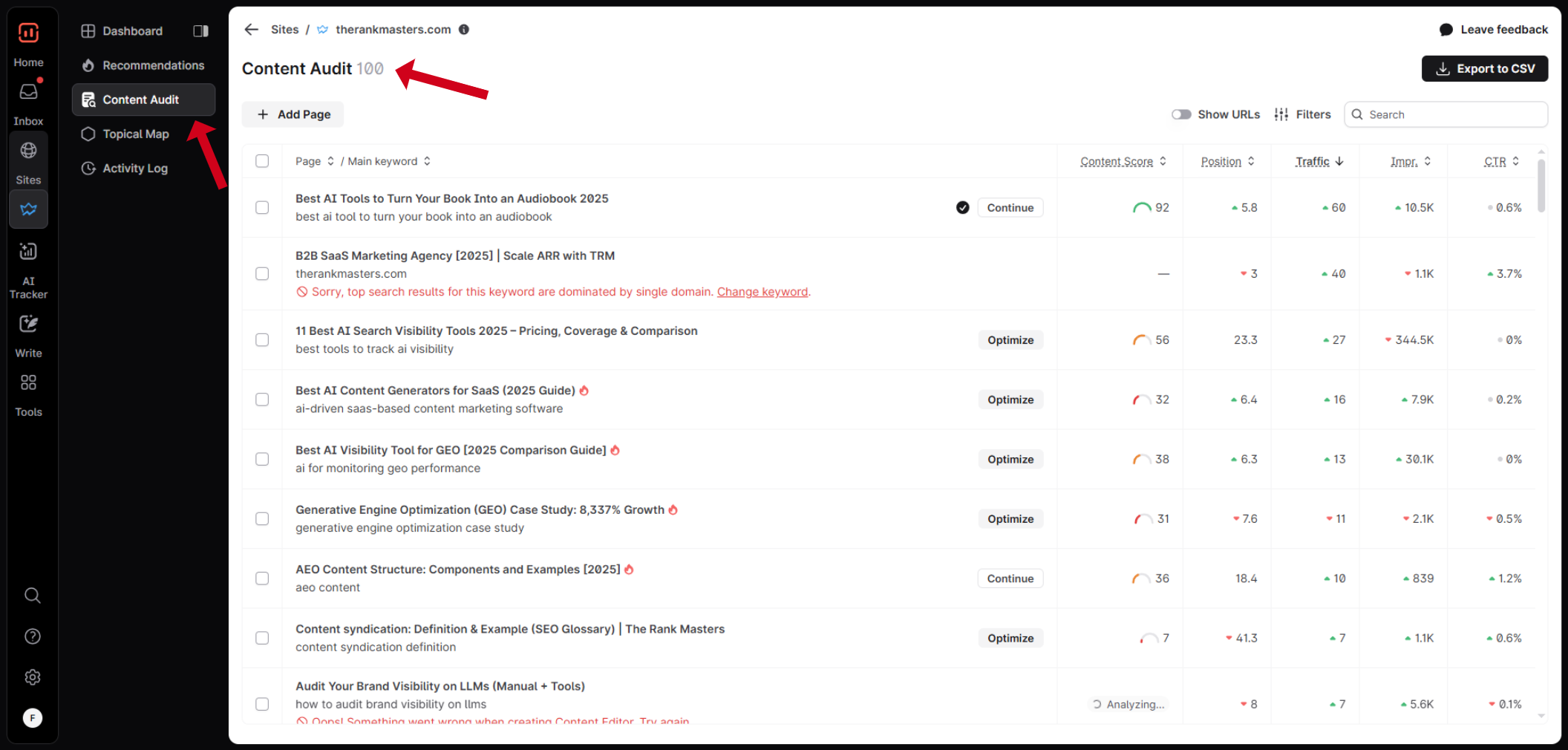
On large sites, updating existing content is often the biggest lever. Surfer’s Content Audit helps you quickly identify pages that:
- Lost rankings or traffic
- Need fresh content or better on-page optimization
- Would benefit from stronger internal links
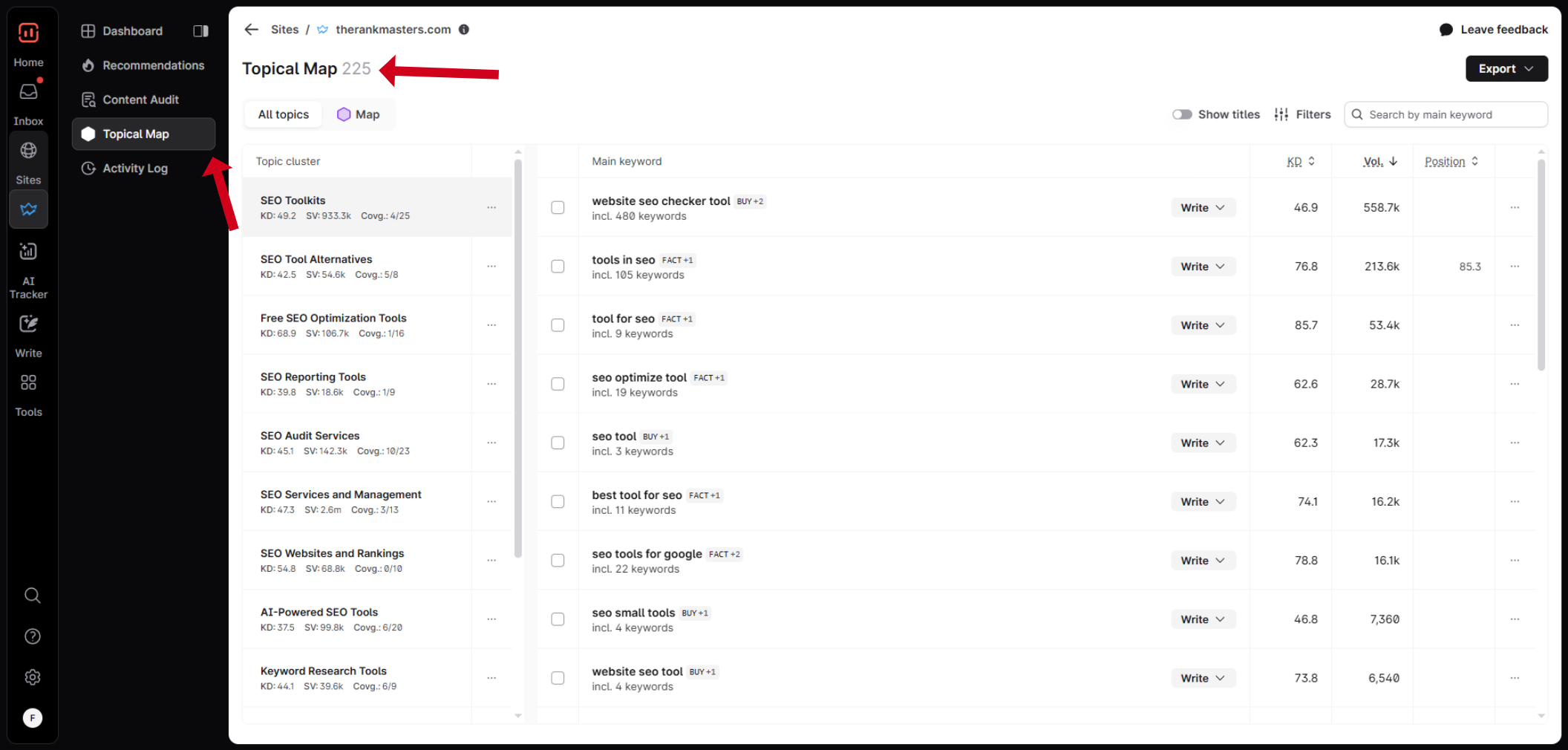
Paired with Topical Map, you can plan entire clusters and topical authority around the themes that matter most to your business, then keep those clusters healthy over time with targeted refreshes.
Free Tools for Enterprise Teams
Even if you’re just testing Surfer, there are a couple of free tools that plug nicely into enterprise workflows:
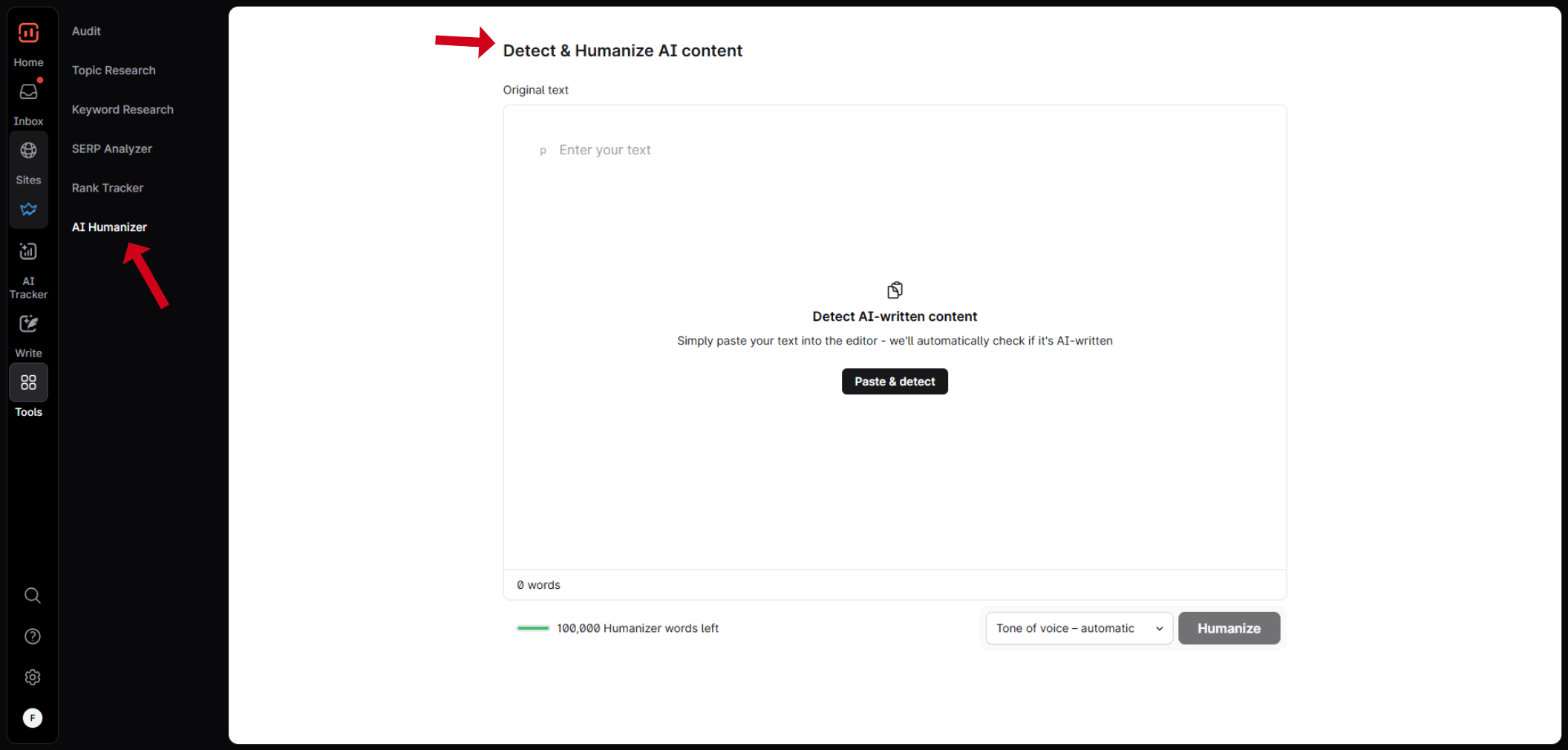
AI Humanizer – Helps you refine AI-generated content so it reads naturally and aligns better with human expectations.
Keyword Research Chrome Extension – Lets SEOs and strategists explore keyword ideas as they browse, useful when working across many markets and product lines.
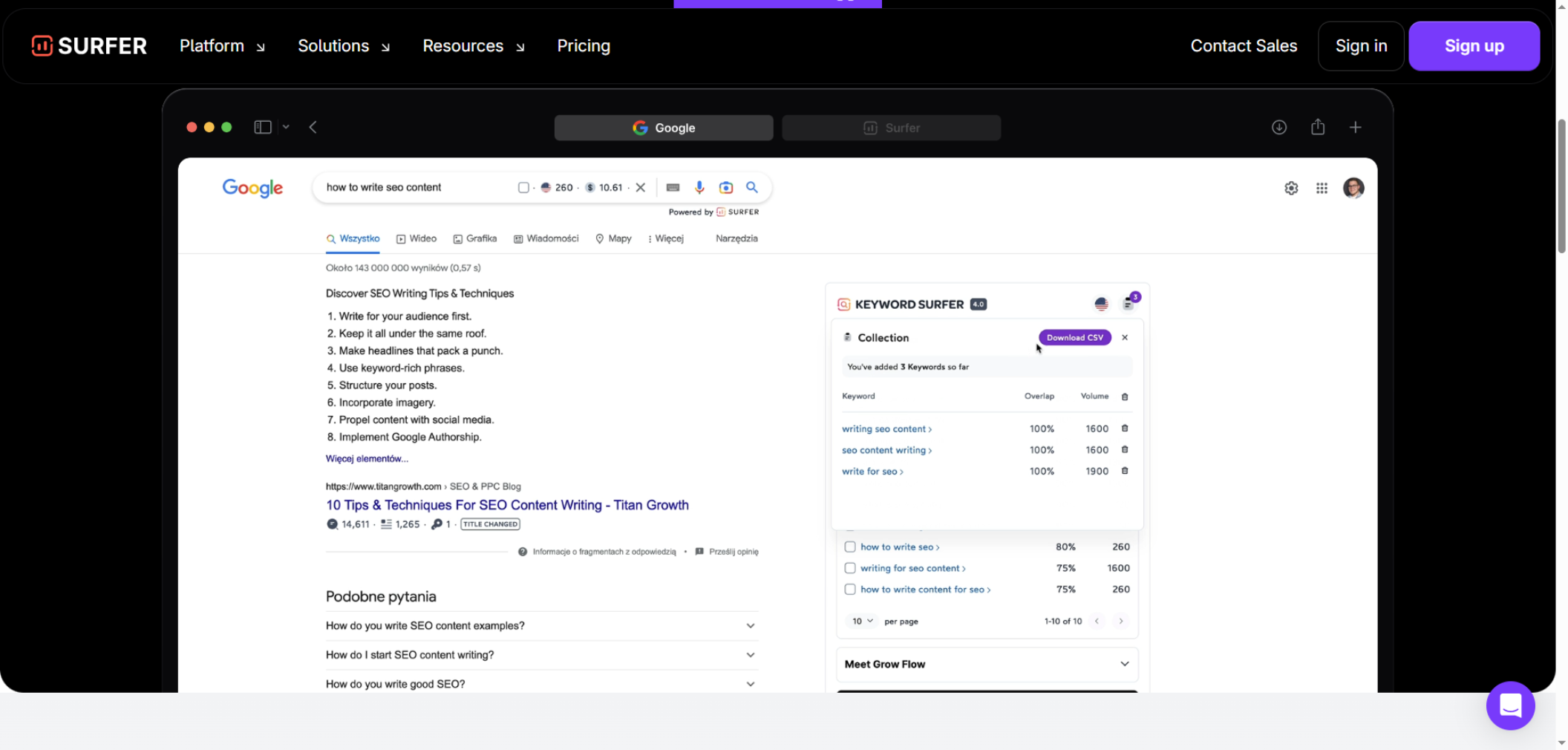
These free tools give teams a feel for Surfer’s approach before fully rolling it out.
Pricing & Plans
Surfer offers several plans that scale with your needs, from smaller SEO teams up to custom Enterprise setups. Pricing mainly depends on:
- How many articles you want to create and optimize each month
- How many audits and tracked pages you need
- How many team members and workspaces you’re managing
For most large organizations, the Enterprise plan is the natural fit, because it’s tailored to your specific volume, workflows, and support needs. To see the current tiers and what’s included at each level, send readers to the pricing page via your affiliate link:
👉 Check Surfer’s current pricing and Enterprise options
This keeps the user on your affiliate link while still positioning Surfer as transparent and scalable on cost.
Free Demo
Not sure if Surfer is the right fit for your team? Book a demo and see it first hand.
You’ll see how to explore the Content Editor, generate a few AI articles, run some audits, and see how it impacts your rankings before you commit long term.
Who Surfer Is Best For
Surfer is a strong fit if you:
- Run or support a large content operation (enterprise brand, publisher, or big SaaS)
- Need strict brand consistency across many writers, languages, and regions
- Want a data-backed workflow that covers research, content creation, optimization, internal linking, and ongoing audits
- Are preparing for a future where both Google’s SERPs and AI Search experiences matter for organic visibility
If you want a single platform that ties strategy, AI-assisted writing, optimization, and performance monitoring together, Surfer deserves the top spot on any enterprise SEO tools list.
Surfer's pricing page lists these plans, all billed yearly, and shows no monthly-billing rate.
| Plan | Price | Billing basis | What it includes |
|---|---|---|---|
| Discovery | $49 a month | Billed yearly | 120 documents, 10 pages tracked, 1 seat, no AI prompts |
| AI Search Analytics | $82 a month | Billed yearly | 50 AI prompts refreshed daily, 5 seats |
| Standard | $99 a month | Billed yearly | 25 AI prompts refreshed weekly, 360 documents, 50 pages, 3 seats, content audit, keyword research, topical map |
| Pro | $182 a month | Billed yearly | 50 AI prompts refreshed daily, 200 pages, 5 brand workspaces, 5 seats, Content Ideas, Coverage Gap, custom voices |
| Peace of Mind | $299 a month | Billed yearly | 100 AI prompts refreshed daily, 500 pages, 10 seats, API access, dedicated success manager |
| Enterprise | Not published | Tailored through sales | Set in a sales conversation |
Surfer's homepage lists the capabilities below.
Key Capabilities:
- AI visibility tracking across ChatGPT, Gemini, Claude, Perplexity, Google AI Mode and AI Overviews
- Content audit
- API access on the Enterprise plan or as an add-on
- Integrations including Surfer MCP, Google Docs, a WordPress plugin and a Chrome extension
2. Conductor: Best For One View Of Content And Technical Health
Conductor is an SEO and AI search visibility platform that puts content, competitor and technical health data in one place. Its platform page names three product areas. Conductor Intelligence covers AI answer engine visibility and unified insights across topics, competitors, technical health and analytics. Conductor Monitoring runs 24/7 website monitoring and alerting with an audit trail. Conductor AgentStack offers an MCP server and a Data API for BI environments and agent platforms.
It is built for teams where content, SEO and technical ownership sit with different people who still need to look at the same numbers. If your marketing team and your engineers argue from different dashboards, this is the problem Conductor is aimed at.
Pricing
| Plan | Price | Billing basis | What it includes |
|---|---|---|---|
| Enterprise | Pricing on request | Usage-based, quoted through Contact Sales | Conductor Intelligence, Monitoring and AgentStack as described on the platform page |
Conductor's pricing page describes usage-based pricing in prose, publishes no rates, and sends Enterprise buyers to Contact Sales.
Strengths:
- One workspace for topics, competitors, technical health and analytics, so content and technical teams read the same data.
- Alerting runs around the clock and keeps an audit trail, which helps when several people can change a live site.
- An MCP server and a Data API let your analysts pull the data into BI environments and agent platforms.
Trade-offs:
- No rates are published, so you cannot budget before a sales call.
- The platform page states no refresh rates or limits.
- The page refers to an integrated partner ecosystem but names no CMS, analytics or BI tools.
Key Capabilities:
- AI answer engine visibility inside Conductor Intelligence
- Unified insights across topics, competitors, technical health and analytics
- 24/7 monitoring and alerting with an audit trail
- MCP server and Data API through AgentStack
Good Fit:
- Teams that want content performance and technical health in a single view
- Organisations that plan to feed SEO data into a BI environment
- Buyers who are comfortable with a quote-based, usage-based contract
Not A Fit:
- Buyers who need a published price before they will talk to sales
- Teams that need a named list of CMS and analytics connectors before they shortlist
The limitation that matters most is opacity. Until Conductor puts rates, limits and connectors in writing, you are buying on the strength of a demo, so ask for all three in the quote.
3. Botify: Best For Technical Teams That Can Ship Fixes
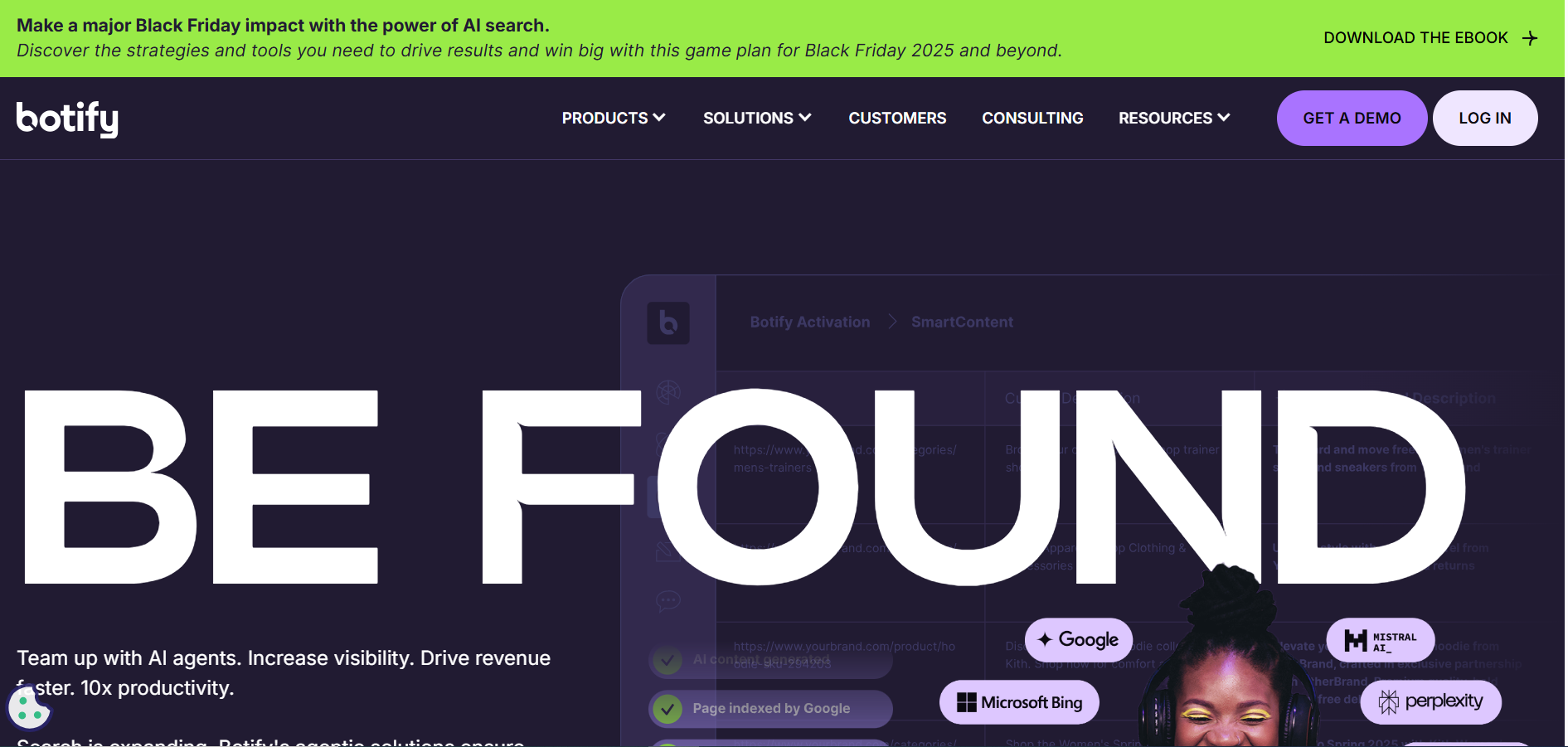
Botify is a technical SEO and AI search platform. Botify's homepage describes AI visibility analytics covering GEO, keyword, AI agent and bot analytics with proactive alerts, built on "1000+ metrics" across traditional and AI search. It pairs that with AI Activation, which includes SmartLink for internal linking, PageWorkers for deployment, SmartIndex for cross-platform indexation and a Botify MCP.
Botify is for technical teams with engineering capacity. A crawl or technical platform only pays off when engineers can ship the fixes it finds, and without that capacity it sits unused. Botify's activation tools are aimed at shortening the path from finding to fix, but they do not replace the people who approve and release changes.
Pricing
| Plan | Price | Billing basis | What it includes |
|---|---|---|---|
| All plans | Pricing on request | Demo-led quote | AI visibility analytics and AI Activation, scoped in the demo |
Botify's pricing page shows no prices and offers Get a Demo and Request a Demo as its calls to action.
Strengths:
- AI visibility analytics cover GEO, keywords, AI agents and bots, with proactive alerts.
- SmartLink, PageWorkers and SmartIndex act on what the analytics find, which suits teams that want fixes deployed rather than listed.
- A Botify MCP is included in the AI Activation set.
Trade-offs:
- Pricing is only available through a demo.
- The homepage does not name log file analysis, crawl budget or JavaScript rendering as product features, so ask about each in the demo.
- A technical platform demands engineering time you have to book in advance.
Key Capabilities:
- GEO, keyword, AI agent and bot analytics
- Proactive alerts across traditional and AI search
- SmartLink internal linking
- PageWorkers deployment
- SmartIndex cross-platform indexation
- Botify MCP
Good Fit:
- Technical SEO teams with engineers who can ship fixes on a regular release cycle
- Sites where indexation and internal linking are the main constraint
Not A Fit:
- Teams with no engineering capacity to act on findings
- Buyers who need a published price or a confirmed log analysis feature before the first call
The limitation that matters most is the missing detail. Ask Botify in the demo whether log file analysis is part of your plan, and get the answer in the written quote.
4. SeoClarity: Best For Multi-Domain Teams Wanting Tiered Pricing
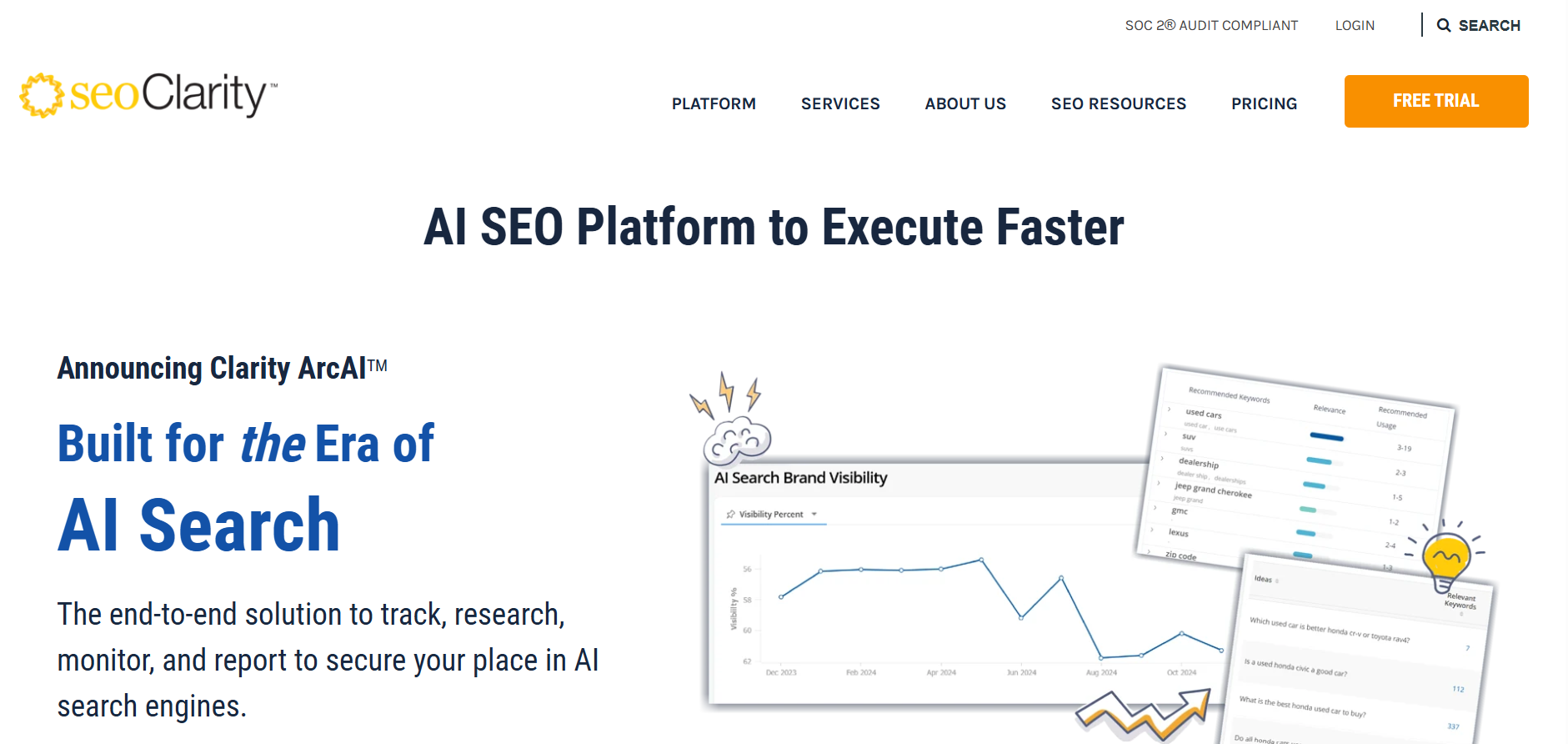
seoClarity is an enterprise SEO platform that publishes starting prices by tier. seoClarity's pricing page prices by the number of domains and keywords, so a team with many sites and a large keyword set pays more than a team with a few.
It suits multi-domain teams that want a defined ladder from research and content work up to full technical and enterprise support. If you manage several brands or regions and need to know roughly what each rung costs before you talk to sales, start here.
Pricing
| Tier | Starting price | Billing basis | What it includes |
|---|---|---|---|
| Research & Content | From $2,500 a month | Monthly, priced by domains and keywords | Support team, client success, SEO advisory, aimed at small to medium teams |
| Technical SEO | From $3,200 a month | Monthly, priced by domains and keywords | Site audits, unlimited crawl pages and projects, log file analysis, Clarity 360 |
| Enterprise | From $4,500 a month | Monthly, priced by domains and keywords | All tiers plus the top support tier and SLAs, 5,000+ keyword queries |
| Rankings | Custom | Custom, from a 2,000 keyword query minimum | Rank tracking for your keyword set |
These are the starting prices as listed on seoClarity's pricing page, and that page carries a 2022 date. Use them as a starting point for a quote, and expect the final figure to move with your domains and keywords.
Strengths:
- Published tiers let you compare cost against scope before a sales call.
- The Technical SEO tier bundles unlimited crawl pages and projects with log file analysis.
- Customisable dashboards are listed on seoClarity's homepage.
- A Ranking Data API and an AI Search MCP server are listed on the same page.
Trade-offs:
- The pricing page is dated 2022, so the figures may have moved.
- Price rises with every domain and keyword you add.
- The homepage names no GA4, Search Console or BI connector, and it states no refresh rates.
Key Capabilities:
- Log File Analyzer under Technical SEO
- Ranking Data API
- AI Search MCP server
- Customisable dashboards and PPC and SEO integration
- Rank tracking with an "unlimited competitors" claim from the vendor
Good Fit:
- Multi-domain or multi-region teams that want tiered pricing
- Technical teams that need log file analysis inside the same contract as crawling
Not A Fit:
- Single-site teams with a small keyword set, who would pay for domain scale they do not use
- Buyers who need a confirmed analytics or BI connector list before shortlisting
The limitation that matters most is the age of the price page. Ask for a current written quote that names the domains and keywords it covers.
5. Semrush Enterprise: Best For Teams That Want Broad Search Data
Semrush sells two things under one name. The first is a set of standard self-serve plans. The second is Semrush for Enterprise, which is priced on request. Keep the two apart when you budget, because the self-serve figures say nothing about what an enterprise contract costs.
Semrush's enterprise page describes Site Intelligence crawling "for up to millions of pages", with no per-plan cap stated, plus AI optimisation and brand visibility across AI models. The same page states a data scale of 28.7B keywords, 805M domains and 43T backlinks, updated daily. Those are the vendor's own figures.
It suits teams that want broad search and competitor data in one product and are willing to take a sales conversation for the enterprise tier. If you want to test the toolkit before you talk to enterprise sales, start on a self-serve Semrush plan and see whether the search data answers your questions.
Pricing
| Plan | Price billed annually | Price billed monthly | What it includes |
|---|---|---|---|
| SEO | $117.33 a month | $139 a month | Standard self-serve SEO plan |
| Starter | $165.17 a month | $199 a month | SEO plus AI Search |
| Pro+ | $248.17 a month | $299 a month | SEO plus AI Search |
| Advanced | Custom | Custom | Request a demo |
| Semrush for Enterprise | Custom | Custom | Priced on request |
Those are the standard self-serve plans on Semrush's pricing page, where annual billing saves up to 17%. Enterprise is priced on request.
Strengths:
- Self-serve plans with published prices let you test before you commit to an enterprise contract.
- Site Intelligence crawling is described for up to millions of pages.
- AI optimisation and brand visibility are tracked across AI models.
- The vendor states daily updates across a very large keyword, domain and backlink set.
Trade-offs:
- The only integration partnership named on the enterprise page is Adobe Brand Visibility.
- No per-plan crawl cap is stated.
- Advanced and Enterprise pricing are not published.
Key Capabilities:
- Site Intelligence crawling for up to millions of pages
- AI optimisation and brand visibility across AI models
- Self-serve SEO and AI Search plans
- Adobe Brand Visibility integration
Good Fit:
- Teams that want broad keyword and competitor data and a low-cost way to start
- Buyers who prefer to trial on published prices before an enterprise conversation
Not A Fit:
- Teams whose deciding factor is a long list of named CRM, BI or CMS connectors
- Buyers who need an enterprise price in writing before any sales contact
The limitation that matters most is the gap between the two offers. Self-serve prices are public, the enterprise price is not, and the crawl limits are not stated on either, so ask for them in writing.
📋 Get Listed / Advertise
We update this guide monthly. Want your tool featured? Contact: [email protected].
Which Enterprise SEO Suite Fits Your Bottleneck?
Name the one constraint that blocks growth. Shortlist the platform class built for that constraint. Then let team size and budget pick between the two finalists. Everything else on a feature list is noise until the bottleneck is fixed.
The table below maps four common bottlenecks to a starting point. Surfer is the content velocity pick here, which is a narrower claim than winning overall.
| If Your Bottleneck Is | Start With | Why | Watch For | What To Test In The Pilot |
|---|---|---|---|---|
| Technical and crawl | Botify or the seoClarity Technical tier | Botify's AI Activation tools act on findings, and seoClarity's Technical tier bundles unlimited crawl pages with log file analysis | Crawl findings only pay off when engineers can ship the fixes | How many findings reach production in the trial window |
| Content velocity | Surfer or Semrush | Surfer is built around the Content Editor and Surfer AI, and Semrush adds broad keyword data | Surfer is limited on technical SEO | Time from brief to published draft |
| AI search visibility | Surfer, Conductor, Botify or Semrush | Each describes AI visibility tracking | A tracker shows citations and does not earn them | Whether the tracked engines match the ones your buyers use |
| Executive reporting | Conductor or seoClarity | Conductor offers unified insights and seoClarity offers customisable dashboards | Connector lists are not named on the vendor pages | Whether one dashboard reaches pipeline in your BI tool |
If your bottleneck is technical but your budget is small, technical SEO audit tools may do the job before you pay enterprise rates. If the gap is output rather than software, SaaS content marketing is the other route to look at.
Team size decides the second pass. A team of two or three SEOs rarely has the hours to run a technical platform and a content platform at once, so pick the one that matches the bottleneck and leave the rest. A larger team with a platform owner and engineering time can take on the heavier tool.
Budget decides the last pass. Published tiers, such as seoClarity's, let you rule options in or out before a call. Quote-only platforms need the pilot to justify their price. Compare the two finalists on what each costs against the SQLs it influences, which the pilot section below shows how to calculate.
What Is An Enterprise SEO Suite, And When Do You Need One?
An enterprise SEO suite is a platform that crawls and monitors sites at scale, tracks rankings, analyses content, manages technical issues and reports performance to stakeholders in one place. Enterprise platforms are mostly sold on custom contracts, so public list prices are scarce.
You have outgrown point tools when these signs show up.
- Several domains or regions. Basic tools miss issues and cannot crawl fast or deep enough across many sites and markets.
- Fragmented data. SEO, content, paid and product each look at different reports, and nobody holds a single source of truth.
- Release speed that outpaces manual audits. Weekly releases break things faster than a spreadsheet audit can find them, so you need automated monitoring and alerts.
- A need to show pipeline impact. Traffic does not hold up in a budget conversation. Leadership wants SEO tied to pipeline, revenue and customer acquisition cost.
- Governance and permissions. Several teams touch the site, so you need roles, approvals and a change history.
There is no fixed number of sites or URLs that triggers the need. The signs above matter more than a count, and one site with a small budget is better served by SEO tools for small businesses. That separates the buyer who needs a suite from the one who needs a good point tool.
At that point, “a few point tools” stop being enough—you need an enterprise SEO suite that can actually run the system.
Core Capabilities That Separate Enterprise Suites From Point Tools
Use these seven checks in every demo. Each one has a question to ask and a condition that counts as a pass. A vendor that cannot pass an item in writing has told you something useful.
Connectors deserve extra suspicion. Conductor's platform page refers to an integrated partner ecosystem but names no CMS, analytics or BI tools. seoClarity's homepage names no GA4, Search Console or BI connector. On Semrush's enterprise page, the only integration partnership named is Adobe Brand Visibility. Ask every vendor for its connector list in writing.
Scale
- Ask in the demo: How many sites, URLs and crawl pages does my plan cover, and what happens at the limit?
- Passes when: The limits appear in the written quote, with the price of going over.
Automation
Automated audits and alerts are what keep a small team ahead of weekly releases. For a wider view of the category, see our guide to SEO automation tools.
- Ask in the demo: Which audits and alerts run without a person starting them, and who receives them?
- Passes when: You see an alert fire on your own site during the trial.
Rank Tracking Across Markets
Enterprise teams track thousands of keywords across regions, languages and SERP features. The category is covered in more detail in our guide to SEO rank tracking software.
- Ask in the demo: How many keywords, markets and SERP features does the plan track, and how often does the data refresh?
- Passes when: The refresh rate is written down, not described as "frequent".
Integrations
- Ask in the demo: Which CRM, BI and CMS connectors exist today, and which are on a roadmap?
- Passes when: Every connector you need is named in writing and works in the pilot.
Reporting That Reaches Pipeline
- Ask in the demo: Can one dashboard show organic contribution to SQLs and revenue for an executive audience?
- Passes when: The dashboard is built on your data during the trial, not on a sample account.
Team Workflow And Collaboration
- Ask in the demo: Can I assign a finding from an audit to a content or engineering owner and track it to done?
- Passes when: A ticket moves from finding to owner to closed without leaving the tool or relying on a spreadsheet.
Security And Governance
- Ask in the demo: What roles, single sign-on options, audit trail and support SLA come with my contract?
- Passes when: Each one is named in the contract, not promised on a call.
Log File Analysis: Do You Need It?
Log file analysis reads server logs to show which URLs search bots request and how often. It tells you what bots actually do on your site, which a normal crawl can only estimate.
You need it when crawl budget or indexation of a large site is in question. That means very large sites, sites with heavy faceted navigation, and sites in the middle of a migration. If your pages are indexed promptly and your site is modest in size, a standard crawl is enough and log analysis is an expensive extra.
Two of the five platforms speak to it directly. seoClarity's pricing page lists log file analysis in the Technical SEO tier, which starts at $3,200 a month. Botify's homepage does not name log file analysis as a product feature, so ask in the demo whether it is included and in which plan.
The mistake to avoid is buying a platform for log analysis you will never read. A log file shows where bots spend their time, and it only helps if an engineer can change the crawl paths it exposes. For a wider look at crawl tooling, see our guide to AI tools for technical SEO audits.
How Enterprise SEO Platforms Handle AI Search Visibility
Four of the five platforms here describe AI visibility tracking, and the fifth, seoClarity, lists an AI Search MCP server. A tracker tells you whether you are cited. It does not make you cited, and that difference matters when you set the pilot threshold.
Here is what each vendor says on its own pages.
- Surfer: Surfer's homepage lists AI visibility tracking across ChatGPT, Gemini, Claude, Perplexity, Google AI Mode and AI Overviews.
- Conductor: Conductor's platform page describes AI answer engine visibility inside Conductor Intelligence.
- Botify: Botify's homepage lists GEO, AI agent and bot analytics.
- Semrush: Semrush's enterprise page describes AI optimisation and brand visibility across AI models.
- seoClarity: seoClarity's homepage lists an AI Search MCP server.
Refresh rates are the detail to chase. Surfer's pricing page ties refresh to the plan, with prompts checked daily or weekly. The pages for Conductor and seoClarity state no refresh rates, so ask for them in writing. For a wider view of the category, see our guide to AI SEO tools.
A platform can show whether ChatGPT or Perplexity cites you; getting cited is editorial and technical work on your own pages. If that is your bottleneck, see how our Generative Engine Optimization service handles it.
What Enterprise SEO Platforms Cost, And What Vendors Publish
Start with the two benchmarks, because published prices are scarce. Conductor's own estimate puts annual cost at about $10K to $25K for point tools, $25K to $75K for platforms and $75K to $200K+ for full-suite platforms. That is a vendor-authored estimate, not a list price.
SpendHound reports that BrightEdge enterprise customers with 1,000+ employees average about $155,480 a year, drawn from 160 customer-reported contracts. That is what customers say they paid, not a published price.
Enterprise platforms are mostly sold on custom contracts, so the useful question is what each vendor actually puts on its own page. The table answers it for the five platforms in this guide.
| Platform | What the vendor publishes | Billing basis | Enterprise price |
|---|---|---|---|
| Surfer | $49 to $299 a month across five plans | Billed yearly | Not published |
| Conductor | No rates | Usage-based, described in prose | Contact Sales |
| Botify | No prices | Demo-led | Get a Demo |
| seoClarity | From $2,500, $3,200 and $4,500 a month across three tiers | Monthly, priced by domains and keywords; the page carries a 2022 date | Starts at $4,500 a month |
| Semrush | $117.33 to $248.17 a month across three self-serve plans | Billed annually | Custom |
Those figures come from Surfer's pricing page, seoClarity's pricing page and Semrush's prices page. Conductor's pricing page and Botify's pricing page publish no prices.
Read the table as a budgeting floor, not a quote. Only seoClarity publishes numbers in the enterprise range, and its page is dated 2022. The rest of the market asks you to take a call first, which is why a written quote is the first thing to request.
Platform cost is also not the whole bill. Someone has to run the platform and ship what it finds, and that staff time is a cost the licence price does not show. If the plan is to buy software and staff it with the people you already have, check your capacity first. Our guide to an ROI-first SaaS SEO stack shows the lean alternative, and our ongoing SEO and AI-visibility work covers the programme side of the cost.
How To Run A 14 To 28 Day Pilot Before You Sign
A demo shows what a platform can do. A pilot shows whether your team can use it. Run the pilot on your top two platforms, on the same site, with the same owner, for 14 to 28 days.
- Pick one site or region. Choose one where a result would be visible inside the trial window, and use it on both platforms so the comparison is fair.
- Write the success threshold before the trial starts. State the crawl efficiency gain and the number of influenced SQLs that would justify the contract, in numbers, and get a second person to sign it off.
- Baseline crawl efficiency and influenced SQLs. Crawl efficiency is the share of crawl requests that reach valuable URLs, which you can read from Search Console's crawl stats. Record both baselines the day before the trial starts.
- Assign one owner and the engineering hours. Name the person who runs the trial and book the engineering time in hours, because a crawl platform with no engineers behind it produces findings and nothing else.
- Run the same workflows on both platforms. Pick three real jobs, such as a crawl of the pilot site, an AI visibility check and an executive report, and time each one on both tools.
- Score against the threshold. Score each platform on the numbers you wrote in step two, and record the hours of staff time each one took.
- Decide, and write down what would make you walk away. Set the walk-away conditions in advance, such as a missing connector, an unwritten price or a finding nobody can ship.
Then run one calculation before you sign. Break-even SQLs equal annual platform cost divided by (SQL-to-win rate times average contract value), which gives the number of SQLs the platform must influence to pay for itself.
- Annual platform cost: The figure on your written quote.
- SQL-to-win rate: Your own close rate from SQL to closed-won.
- ACV: Your own average contract value.
As a sanity check on the cost input, Conductor's own estimate puts platforms at $25K to $75K a year and full-suite platforms at $75K to $200K+. If the break-even answer is more SQLs than organic search can plausibly influence in a year, the platform cannot pay for itself, and you have learned that before signing instead of after.
Mistakes To Avoid When Buying Enterprise SEO Software
The biggest mistake is buying crawl depth when nobody can ship the fixes. The rest of the list is a close second, and most of it comes down to getting promises in writing.
- No named platform owner. Software without an owner turns into shelfware. Ask who runs the platform day to day before you sign.
- Crawl depth without engineers. A crawl platform produces findings, and engineers turn them into changes. Ask how many engineering hours per month the work needs and who has them.
- Accepting a demo price without a written quote. A number said on a call is not a contract. Ask for the quote with domains, keywords and modules named.
- No written connector list. Several vendor pages here name few or no integrations. Ask for the connector list in writing and test your CRM and BI links in the pilot.
- Limits and refresh rates left unstated. Several of the vendor pages for these five platforms state no limits or refresh rates. Ask for both and put them in the contract.
One more red flag sits outside the vendors you shortlisted. Any provider that guarantees rankings is a red flag. Nobody controls Google, so a guarantee tells you how the provider sells, not what it can deliver. Walk away and ask for a reference you can call.
FAQs
What Should Be In Writing Before You Sign An Enterprise SEO Contract?
What Is The Biggest Mistake Companies Make When Buying Enterprise SEO Software?
Do Enterprise SEO Tools Replace Agencies Or In-House Teams?
Do These Platforms Integrate With CRMs Like Salesforce Or HubSpot?
What Is The Difference Between An Enterprise SEO Suite And A Point Tool?
Do Enterprise SEO Tools Still Matter With AI Search On The Rise?
How Long Does An Enterprise SEO Platform Rollout Take?
What Security And Governance Features Should An Enterprise SEO Tool Have?
How Many Sites Or URLs Before A Team Needs An Enterprise Suite?
Can A Smaller Team Start On A Self-Serve Plan And Move Up Later?
If you would rather map your stack with a specialist before you pilot, book a thirty-minute call and leave knowing which two platforms to test first.
📑 Disclosure!
Some links in this article are affiliate links. If you sign up through them, The Rank Masters may earn a commission at no additional cost to you. This does not influence which tools we recommend or what we say about them.